Enterprise Wholesale Service Portal Design
Enterprise Wholesale Service Portal Design
Enterprise Wholesale Service Portal Design
Simplifying enterprise wholesale service
Simplifying enterprise wholesale service
YEAR
2018 - 2019
DURATION
18 Months
DURATION
18 Months
INDUSTRY
Telecommunication
PLATFORM
Web application
PRODUCT TYPE
B2B SaaS / Enterprise Service Management Portal
TOOLS
InVision, Figma, Adobe Photoshop, Illustrator
TEAM
PM, Product Owner, UX Lead, Engineering Team
MY ROLE
UX/Product Designer
TEAM
PM, Product Owner, UX Lead, Engineering Team
MY ROLE
UX/Product Designer
MY ROLE
UX/Product Designer
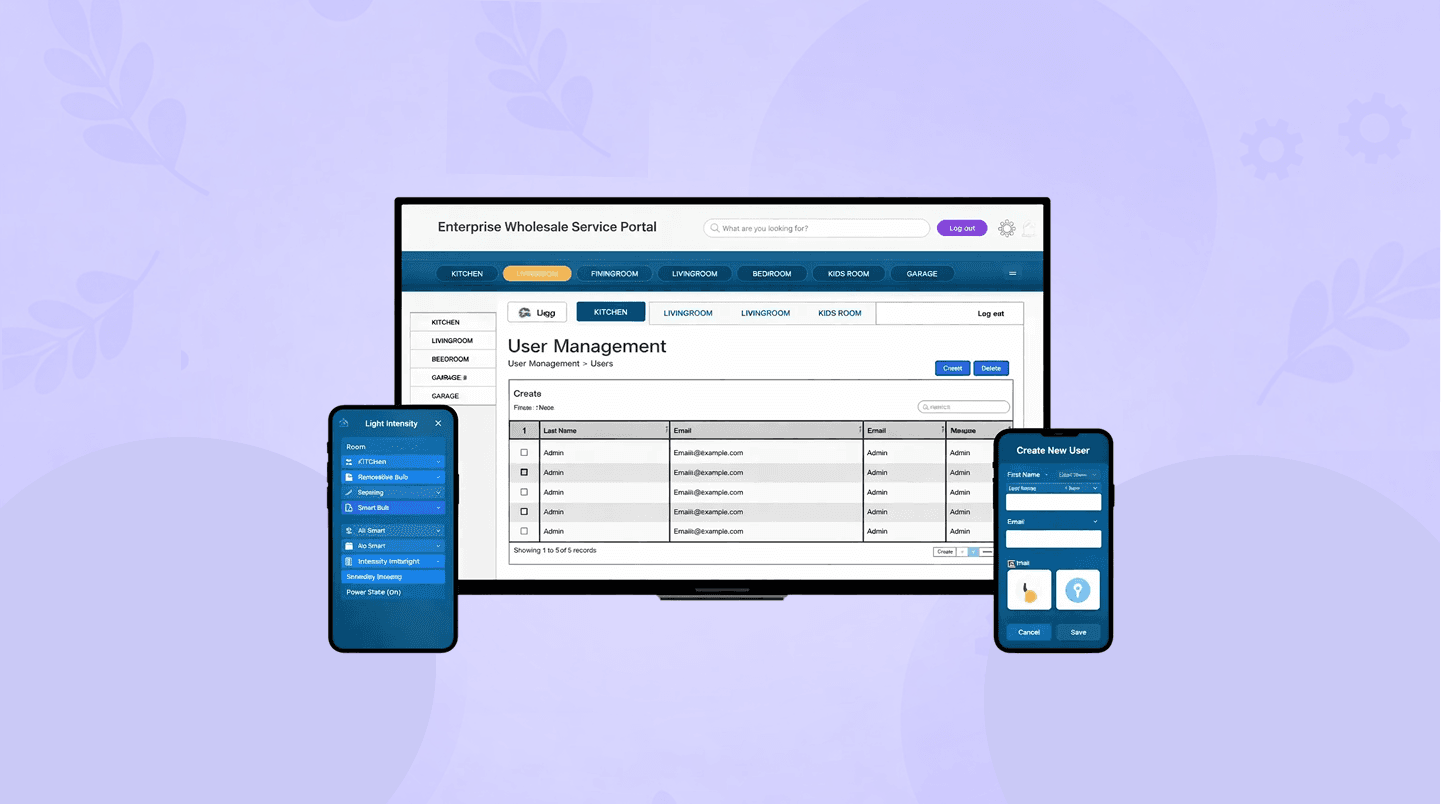
PROJECT OVERVIEW
PRODUCT TYPE
B2B SaaS / Enterprise Service Management Portal
TOOLS
InVision, Figma, Adobe Photoshop, Illustrator
TEAM
PM, Product Owner, UX Lead, Engineering Team
MY ROLE
UX/Product Designer
Overview
The National Broadband Network (NBN) is Australia's national wholesale open-access data network.
The Enterprise Wholesale Service Portal (EWSP) is designed to enable enterprise wholesale service operations across three key role groups:
Managed Service Providers (MSP)
Virtual Network Operators (VNO)
Owner (NBN)
The goal is to deliver a single, consistent end-to-end journey that reduces friction across templates → ordering → status tracking → support while meeting governance, compliance, and multi-tenant needs.
Problem Statement
Enterprise wholesale service requests are high-effort and error-prone because the process spans multiple roles (MSP, VNO, Owner) with complex handoffs, inconsistent template needs, and limited shared visibility into orders and services.
If ownership isn’t clear, templates aren’t consistent, and there’s no end-to-end visibility from the start, teams will face more rework, delays, extra support tickets, and less confidence—especially when approvals and changes need multiple stakeholders to coordinate.
Business Goals & Challenges
Business Goals | Key Challenges/Constraints |
|---|---|
|
|
Target Audience
VNO Operations (Service Desk, Provisioning teams)
Raise new service orders, track progress, manage notifications, lodge/escalate tickets
MSP Administrators
Manage users, onboard VNOs, manage product templates and template catalogue consistency
Owner (NBN) Product
Review product templates, monitor services/orders, and oversee performance via dashboards
Success metrics (EWSP)
Completion & accuracy | Efficiency |
Visibility & self-serve | Support & operations |
Governance & compliance | User experience |
Overview
The National Broadband Network (NBN) is Australia's national wholesale open-access data network.
The Enterprise Wholesale Service Portal (EWSP) is designed to enable enterprise wholesale service operations across three key role groups:
Managed Service Providers (MSP)
Virtual Network Operators (VNO)
Owner (NBN)
The goal is to deliver a single, consistent end-to-end journey that reduces friction across templates → ordering → status tracking → support while meeting governance, compliance, and multi-tenant needs.
Problem Statement
Enterprise wholesale service requests are high-effort and error-prone because the process spans multiple roles (MSP, VNO, Owner) with complex handoffs, inconsistent template needs, and limited shared visibility into orders and services.
If ownership isn’t clear, templates aren’t consistent, and there’s no end-to-end visibility from the start, teams will face more rework, delays, extra support tickets, and less confidence—especially when approvals and changes need multiple stakeholders to coordinate.
Business Goals & Challenges
Business Goals | Key Challenges/Constraints |
|---|---|
|
|
Target Audience
VNO Operations (Service Desk, Provisioning teams)
Raise new service orders, track progress, manage notifications, lodge/escalate tickets
MSP Administrators
Manage users, onboard VNOs, manage product templates and template catalogue consistency
Owner (NBN) Product
Review product templates, monitor services/orders, and oversee performance via dashboards
Success metrics (EWSP)
Completion & accuracy | Efficiency |
Visibility & self-serve | Support & operations |
Governance & compliance | User experience |
PRODUCT TYPE
B2B SaaS / Enterprise Service Management Portal
TOOLS
InVision, Figma, Adobe Photoshop, Illustrator
TEAM
PM, Product Owner, UX Lead, Engineering Team
MY ROLE
UX/Product Designer
IMPACT
IMPACT
If implemented,
Enterprise Wholesale Service Portal will provide a
Faster service requests with clearer ownership.
Fewer errors with consistent templates.
Less rework and back-and-forth.
Easier status tracking with end-to-end visibility.
Fewer support tickets through better self-serve.
Better coordination and trust across all roles.
PROJECT OVERVIEW
Overview
The National Broadband Network (NBN) is Australia's national wholesale open-access data network.
The Enterprise Wholesale Service Portal (EWSP) is designed to enable enterprise wholesale service operations across three key role groups:
Managed Service Providers (MSP)
Virtual Network Operators (VNO)
Owner (NBN)
The goal is to deliver a single, consistent end-to-end journey that reduces friction across templates → ordering → status tracking → support while meeting governance, compliance, and multi-tenant needs.
Problem Statement
Enterprise wholesale service requests are high-effort and error-prone because the process spans multiple roles (MSP, VNO, Owner) with complex handoffs, inconsistent template needs, and limited shared visibility into orders and services.
If ownership isn’t clear, templates aren’t consistent, and there’s no end-to-end visibility from the start, teams will face more rework, delays, extra support tickets, and less confidence—especially when approvals and changes need multiple stakeholders to coordinate.
Business Goals & Challenges
Business Goals | Key Challenges/Constraints |
|---|---|
|
|
Target Audience
VNO Operations (Service Desk, Provisioning teams)
Raise new service orders, track progress, manage notifications, lodge/escalate tickets
MSP Administrators
Manage users, onboard VNOs, manage product templates and template catalogue consistency
Owner (NBN) Product
Review product templates, monitor services/orders, and oversee performance via dashboards
Success metrics (EWSP)
Completion & accuracy | Efficiency |
Visibility & self-serve | Support & operations |
Governance & compliance | User experience |
IMPACT
If implemented,
Enterprise Wholesale Service Portal will provide a
Faster service requests with clearer ownership.
Fewer errors with consistent templates.
Less rework and back-and-forth.
Easier status tracking with end-to-end visibility.
Fewer support tickets through better self-serve.
Better coordination and trust across all roles.
RESEARCH
Before design, I completed a research phase to understand user roles, handoffs, and what could cause delays or errors.
I chose stakeholder interviews to confirm responsibilities, constraints, and success criteria, and I used task analysis and journey mapping to break down the key end-to-end workflows and highlight likely friction points.
These methods helped me make confident design decisions from the start, since the system was built from scratch.
Method | Purpose | Impact supported |
|---|---|---|
Stakeholder interviews (MSP/VNO/Owner) | Align priorities, governance, handoffs | Reduced rework; clearer ownership |
Task analysis (key flows) | Identify friction + redundancy | ↓ time-to-order; ↑ accuracy |
Journey mapping (role-based) | Visualise cross-role dependencies | Fewer escalations; better transparency |
Information architecture review | Improve findability + mental model fit | ↓ misnavigation; ↓ cognitive load |
Usability testing (prototype) | Validate clarity and flow | ↑ completion; ↑ ease-of-use |
Support ticket review | Identify recurring pain points | ↓ ticket volume |
Analytics instrumentation plan | Prove impact post-launch | ROI + continuous improvement |
INSIGHTS
Research showed that users mainly struggled with unclear ownership and limited end-to-end visibility, which led to repeated follow-ups and low confidence.
It also highlighted that consistent templates, guided steps, and simple, actionable status updates were key to reducing errors and speeding up completion.
Insight | What it suggests for design |
|---|---|
Users want to know what to do first, without guessing | Clear landing actions and guided entry points |
Users feel better when they can see where they are and steps left | Step-by-step flow with progress indicator |
Users get frustrated when next owner is unclear | Show owner and next action on every status view |
Users prefer consistent templates and examples | Standardised templates with short descriptions/examples |
Users trust the system more with clear status updates | Visible status, timestamps, and “what happens next” guidance |
Users check updates repeatedly when notifications are unclear | Actionable, prioritised notifications linked to the right item |
Users want errors explained in plain language | Field-level validation with clear fix instructions |
Users want to find items fast with search and filters | Strong search, filters, sorting, and saved views |
DESIGN PROCESS
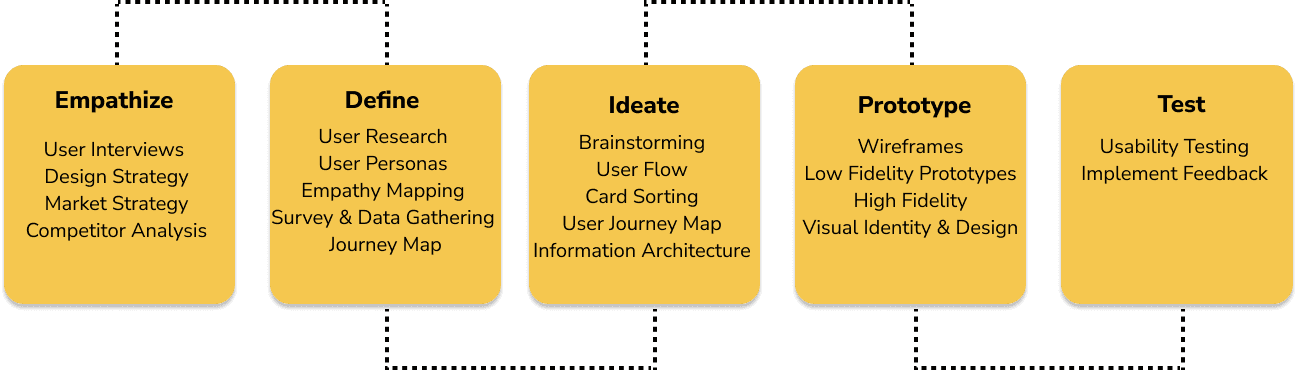
I followed a research-led, iterative design process to deliver the new Enterprise Wholesale Service Portal across MSP, VNO, and Owner roles.
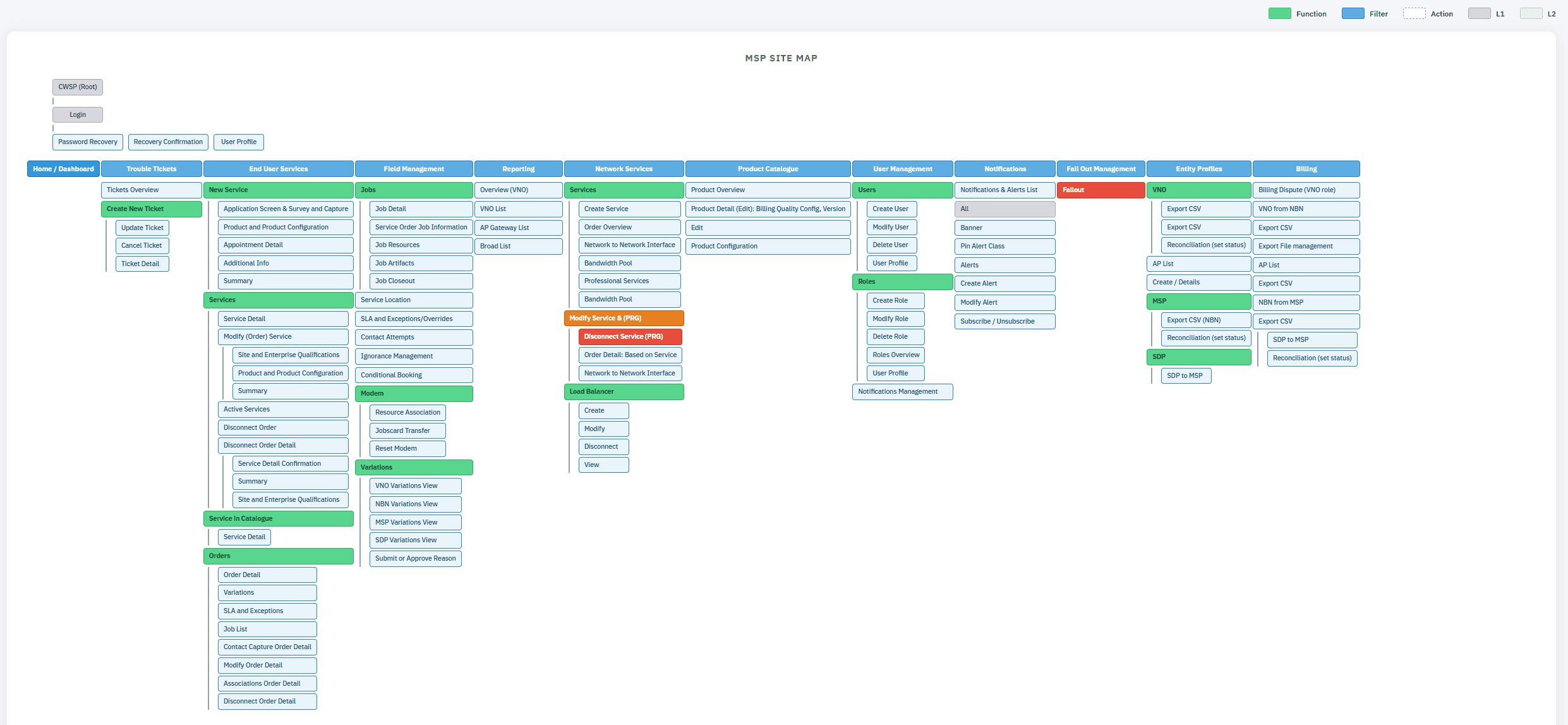
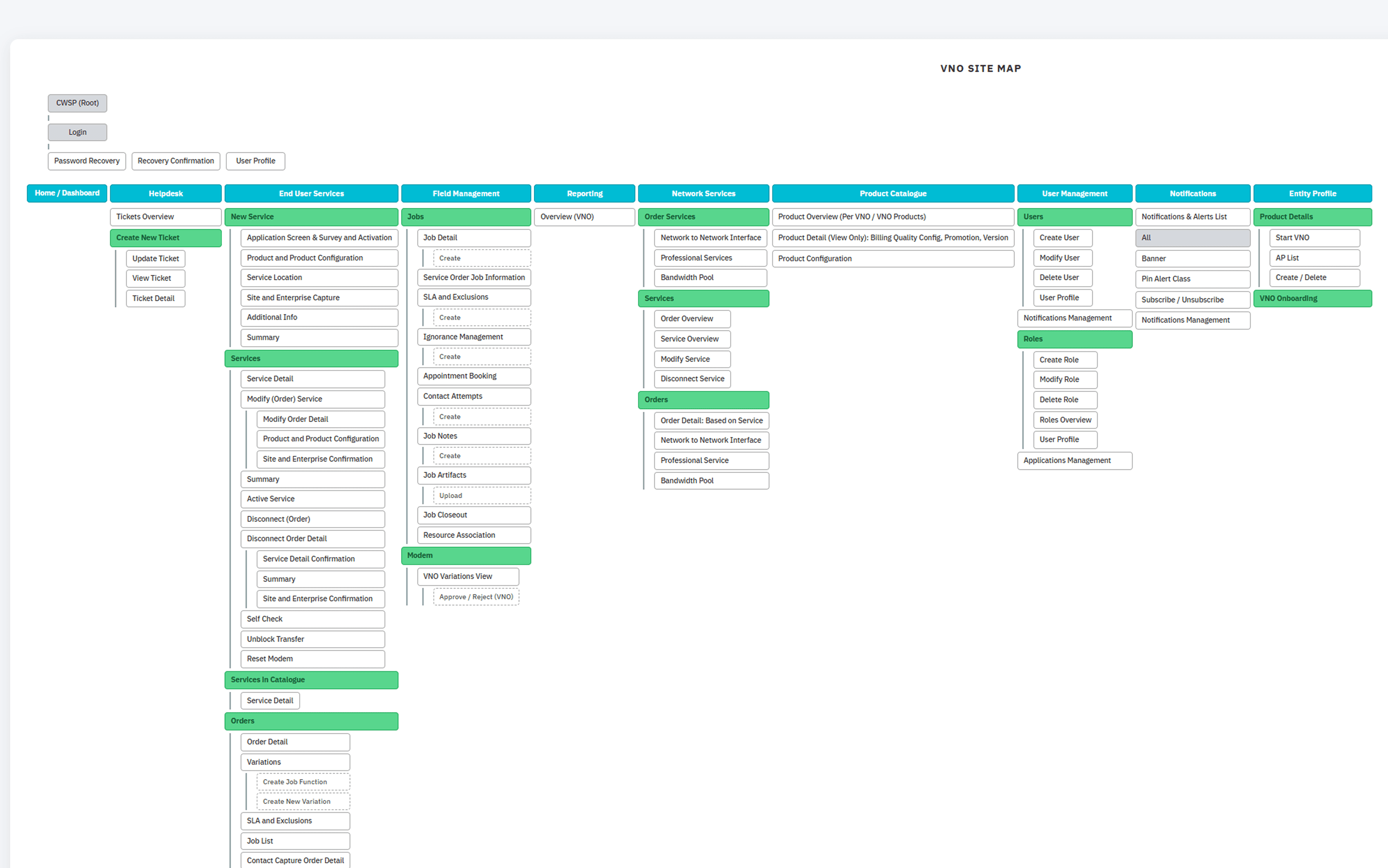
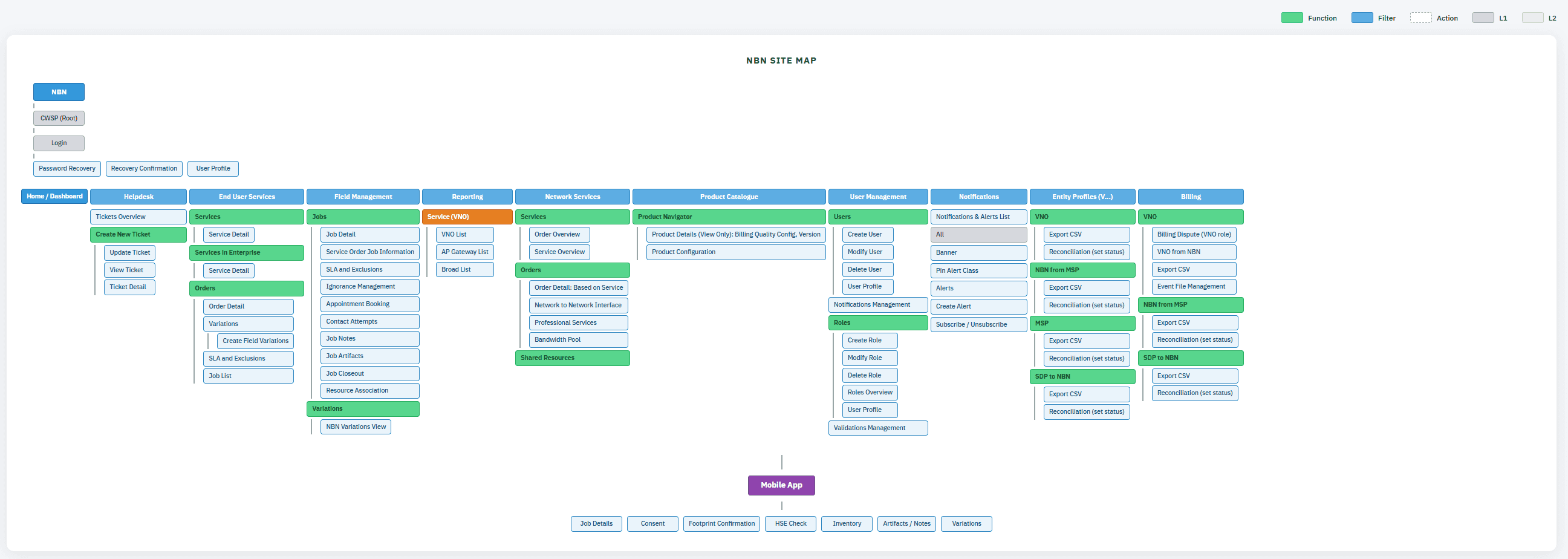
I first defined a role-based information architecture, structuring the portal around key domains, templates, orders, services, notifications, and support, while standardising navigation to improve findability and governance.
I then mapped the highest-frequency task flows, to reduce handoff friction, prevent errors, and clarify ownership.
template selection
raising orders
tracking status
creating tickets
Finally, I produced wireframes and interactive prototypes to test terminology, form behaviour, validation, and status visibility, and I iterated the experience based on evaluation findings to strengthen speed, clarity, and consistency.
Design Process
Information architecture (Role-aware navigation)
MSP Site Map
VNO Site Map
NBN Site Map
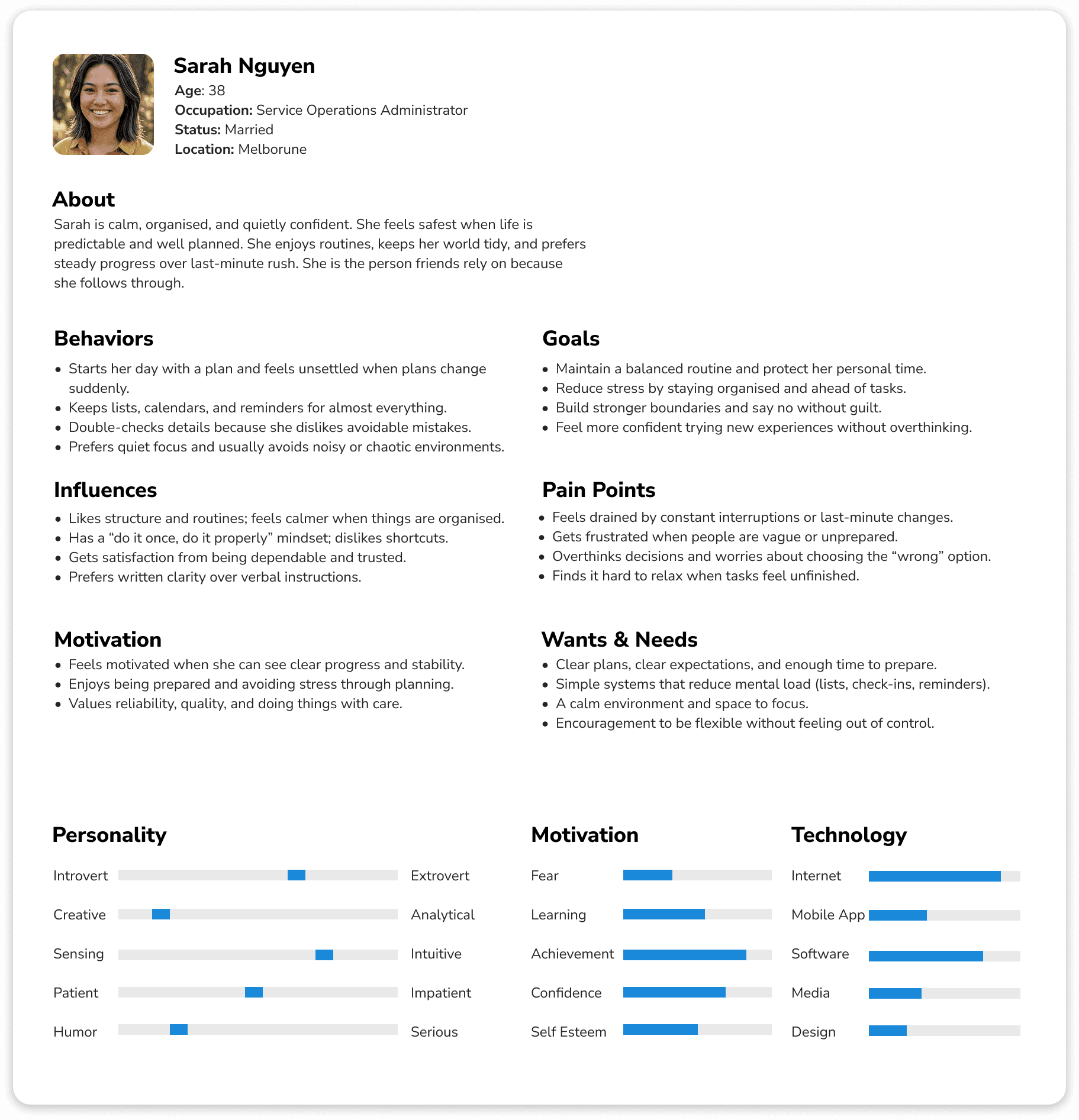
User Personas
MSP
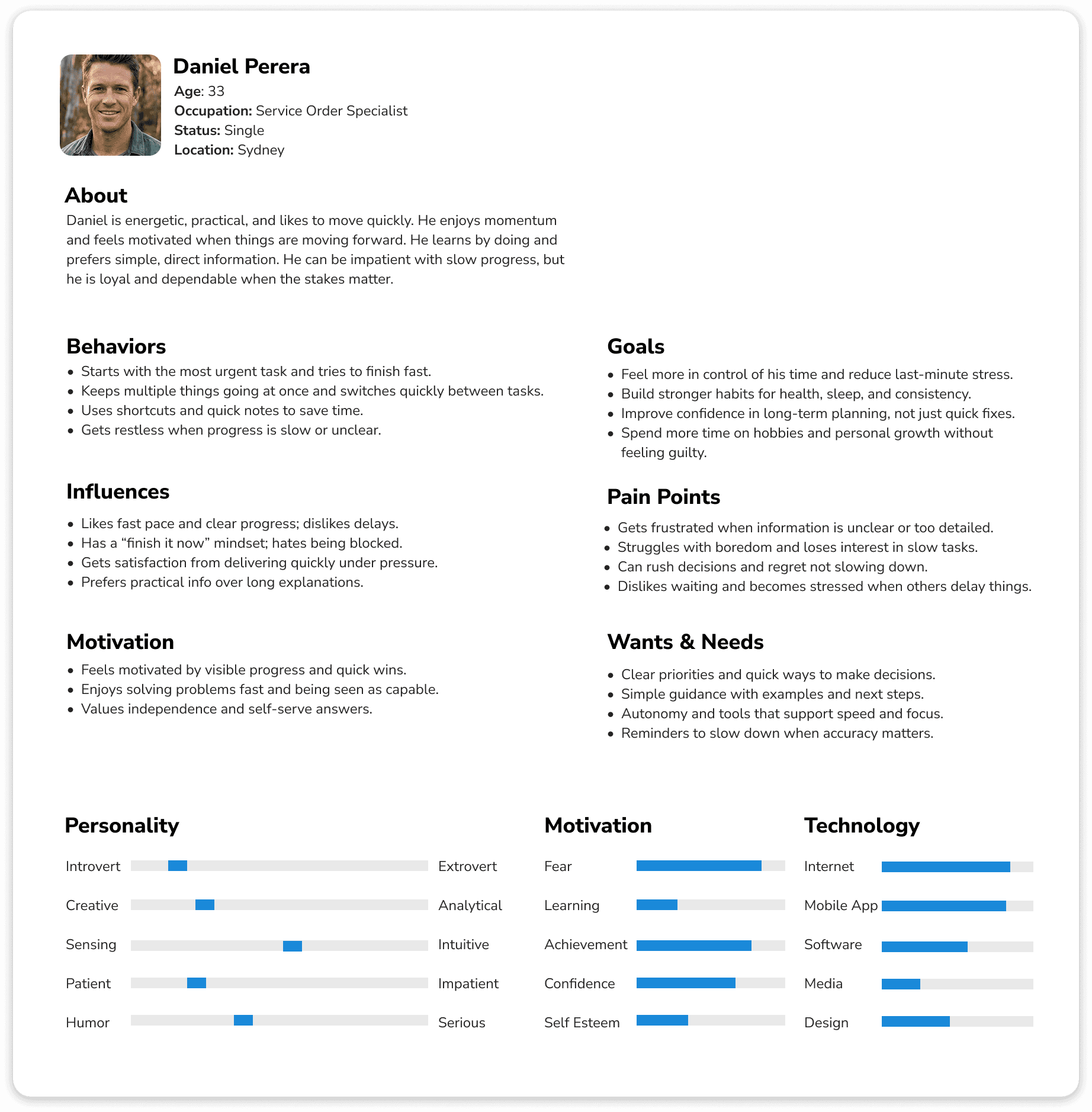
VNO
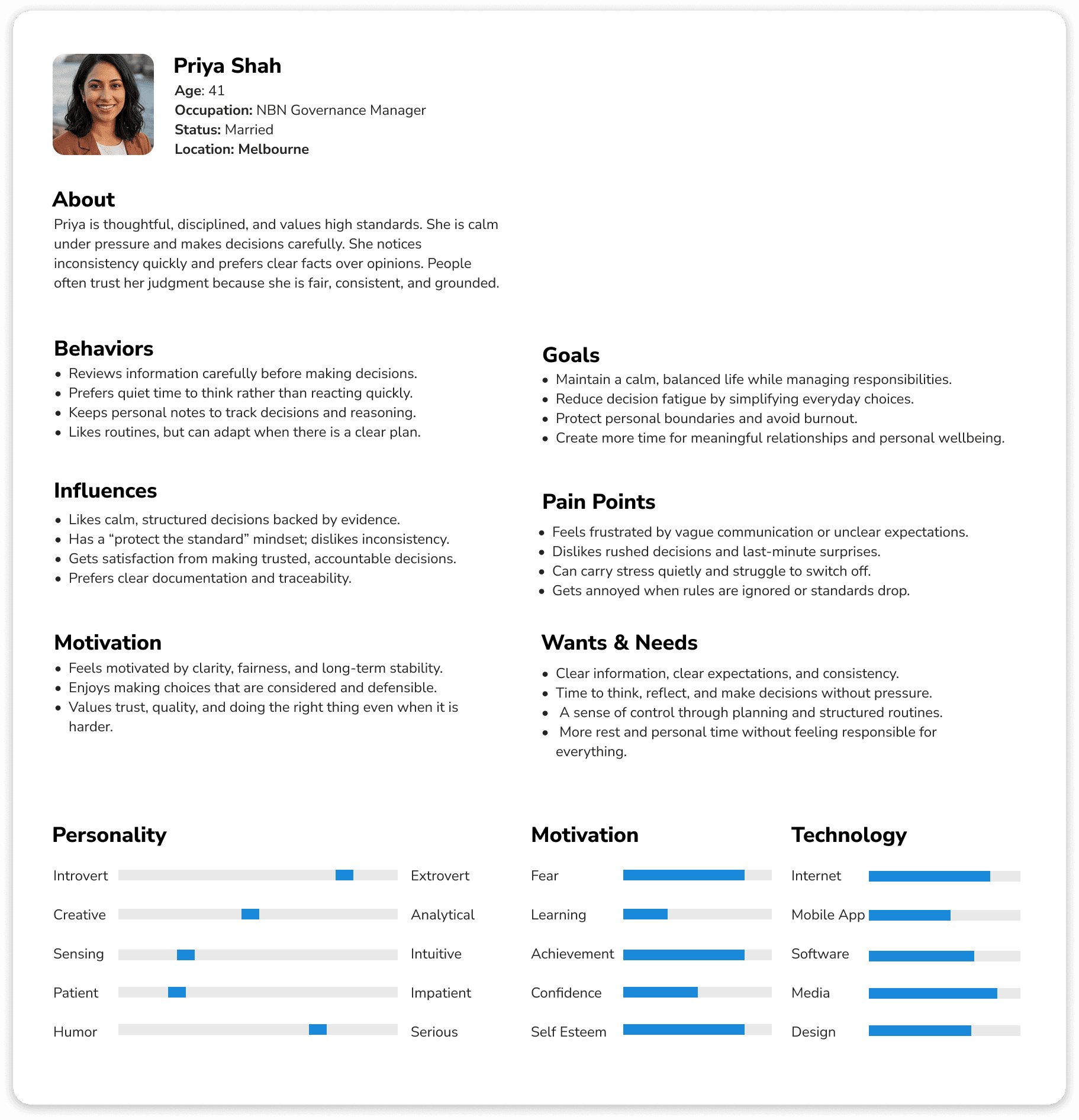
NBN
How I used personas to guide design decisions
User personas helped me design with real user needs in mind rather than assumptions. And Personas directly shaped the portal’s structure and interaction patterns.
For structured users, I prioritised predictable navigation, clear written guidance, and save-and-resume flows. For speed-driven users, I designed step-based workflows with strong search, filters, and actionable notifications.
For standards-focused decision makers, I embedded traceability through consistent UI patterns, clear ownership, and readable activity history, ensuring the system felt efficient, reliable, and trustworthy for every role.
EWSP Demonstration Journey
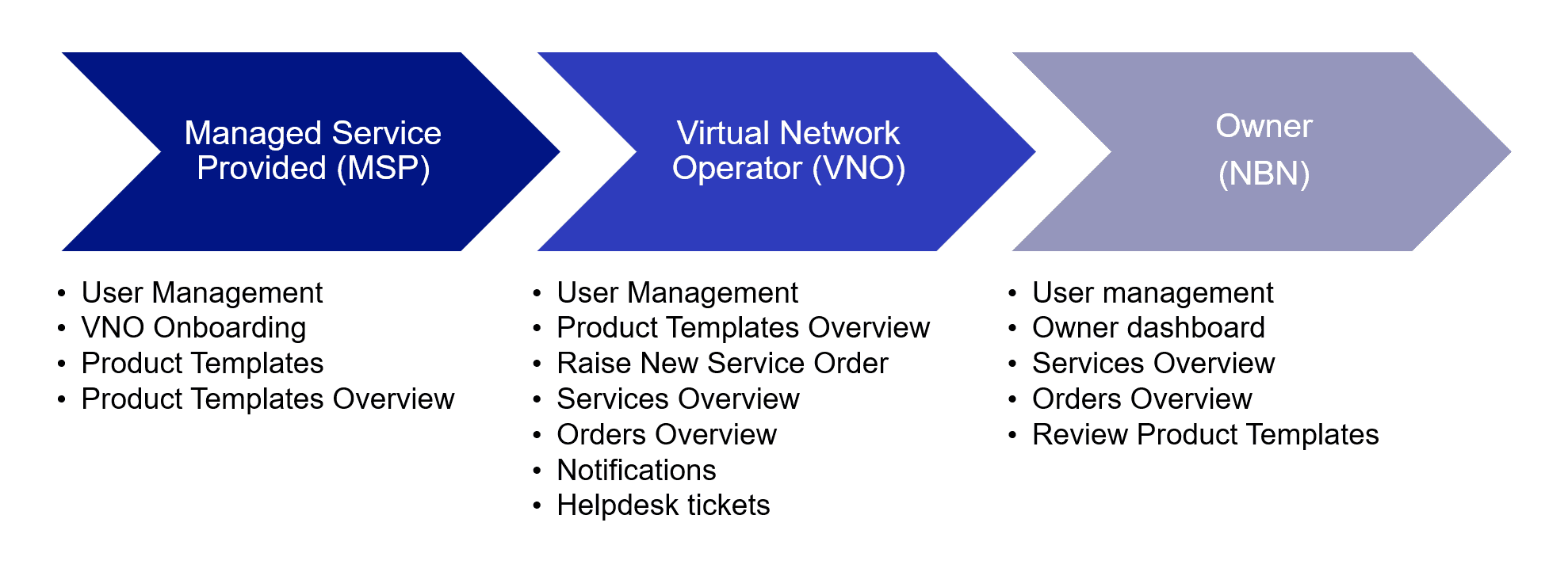
Portal Navigation
MSP

VNO

NBN

Key screens
Templates
Raise Order
Orders Overview
Services Overview
Notifications
Tickets
Owner Dashboard
Portal Wireframes
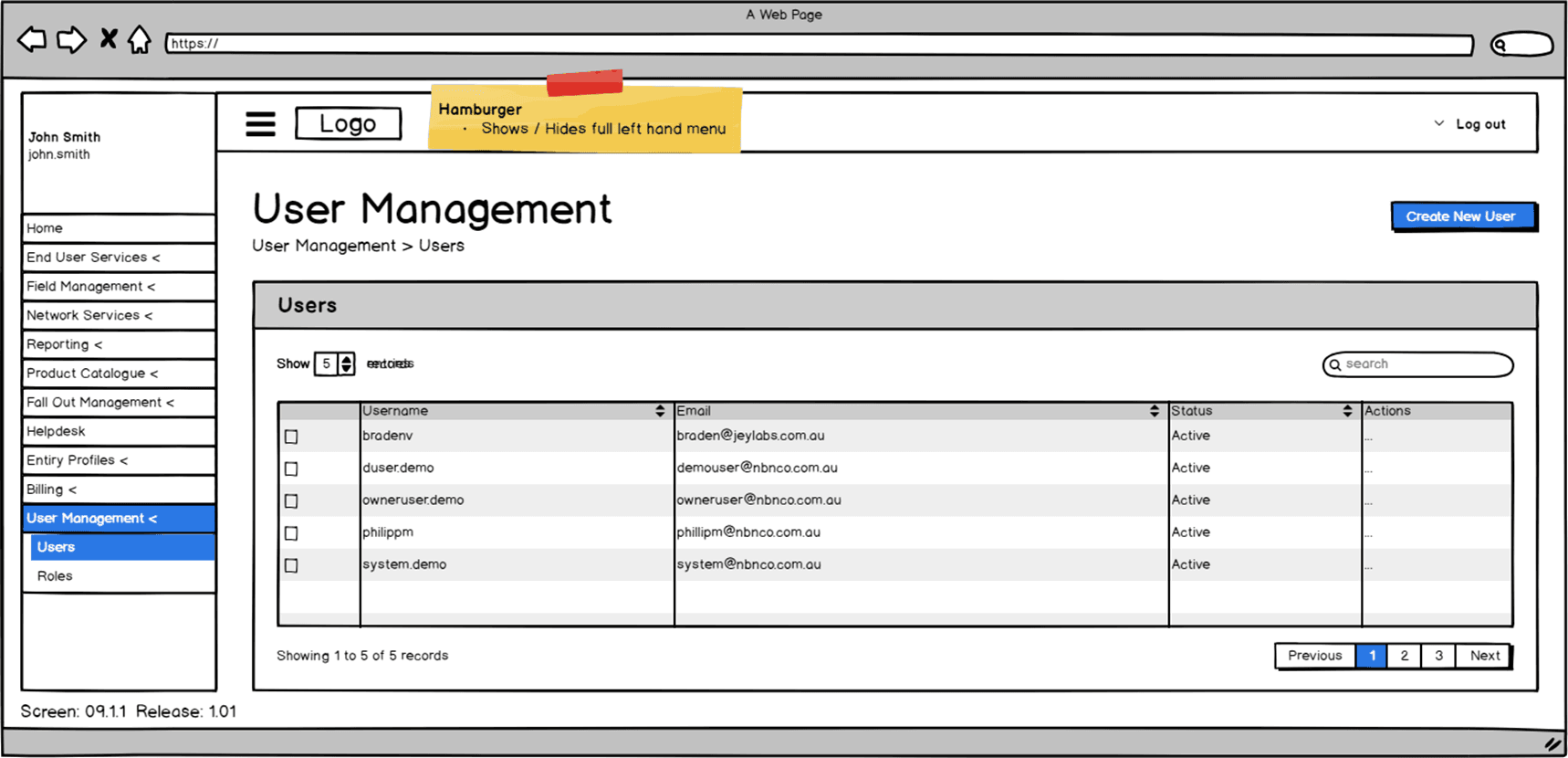
Create a User
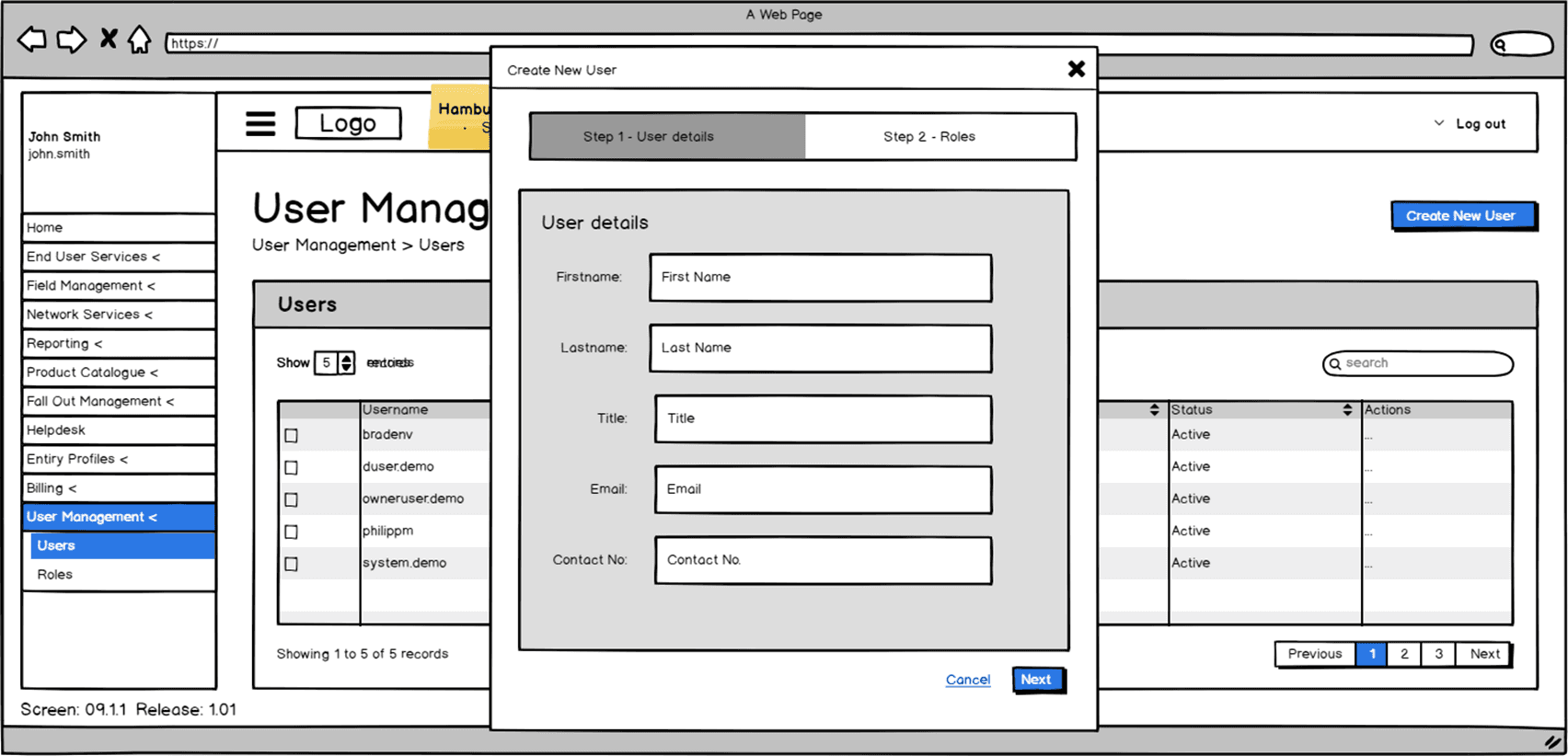
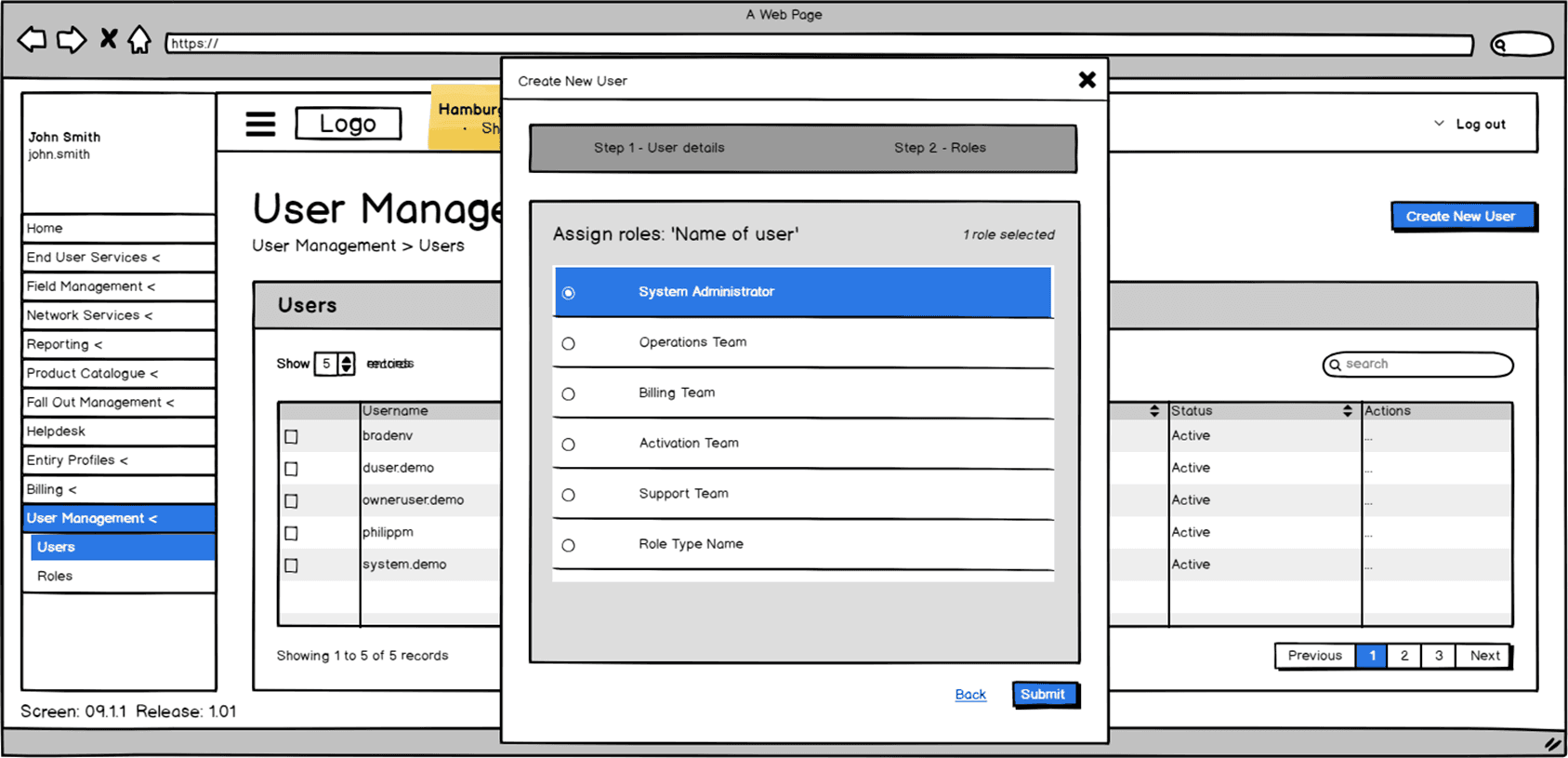
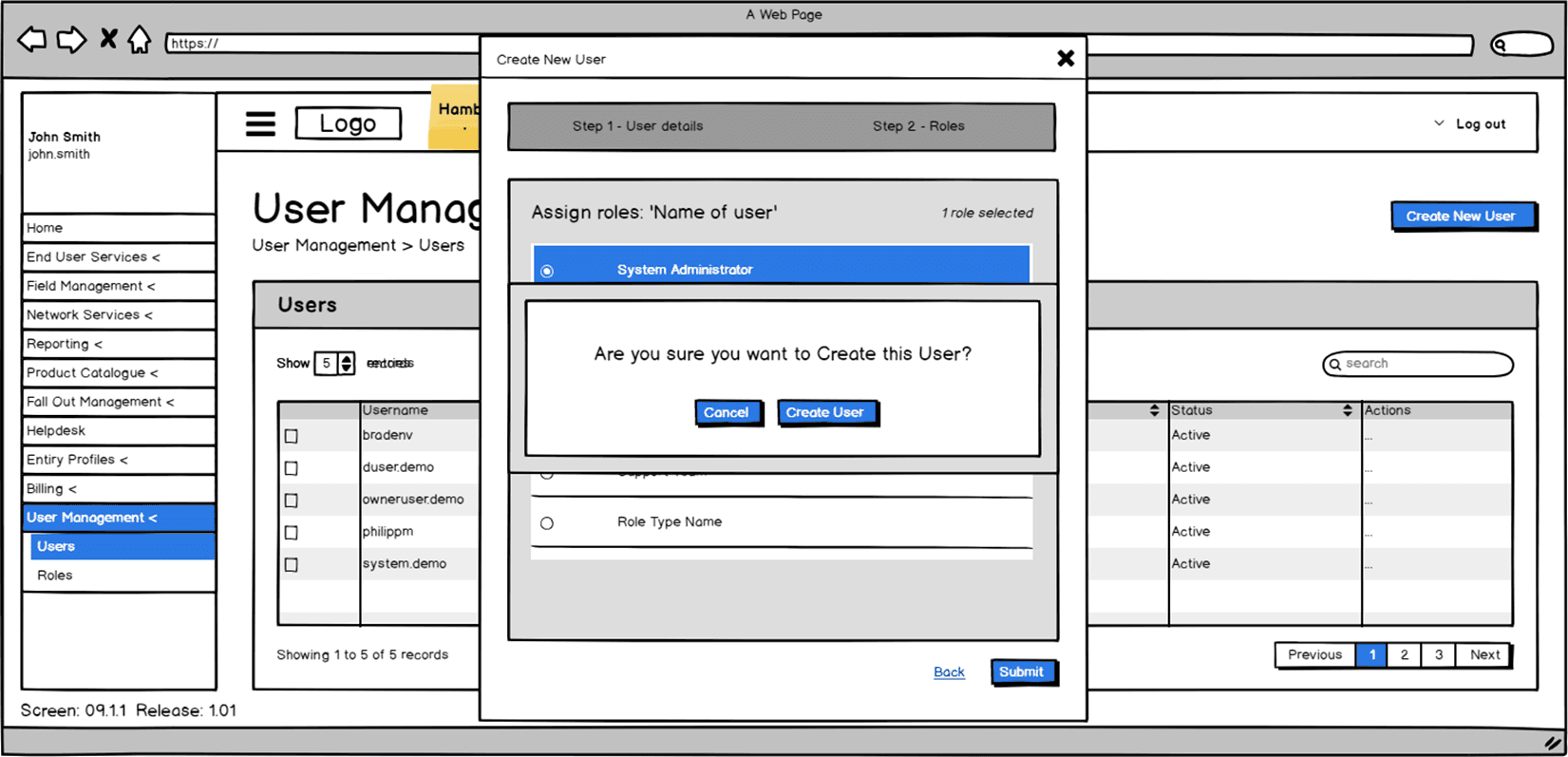
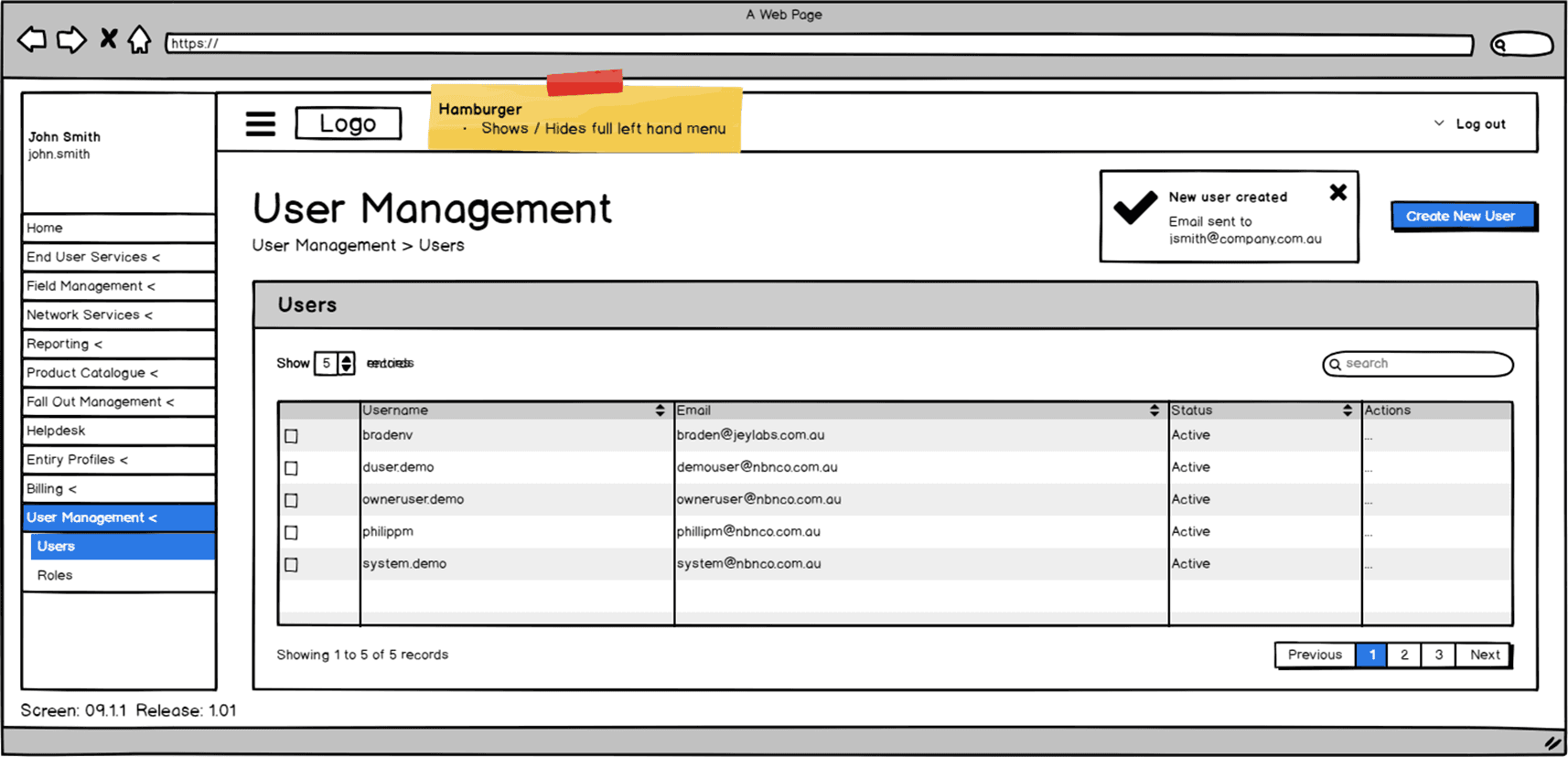
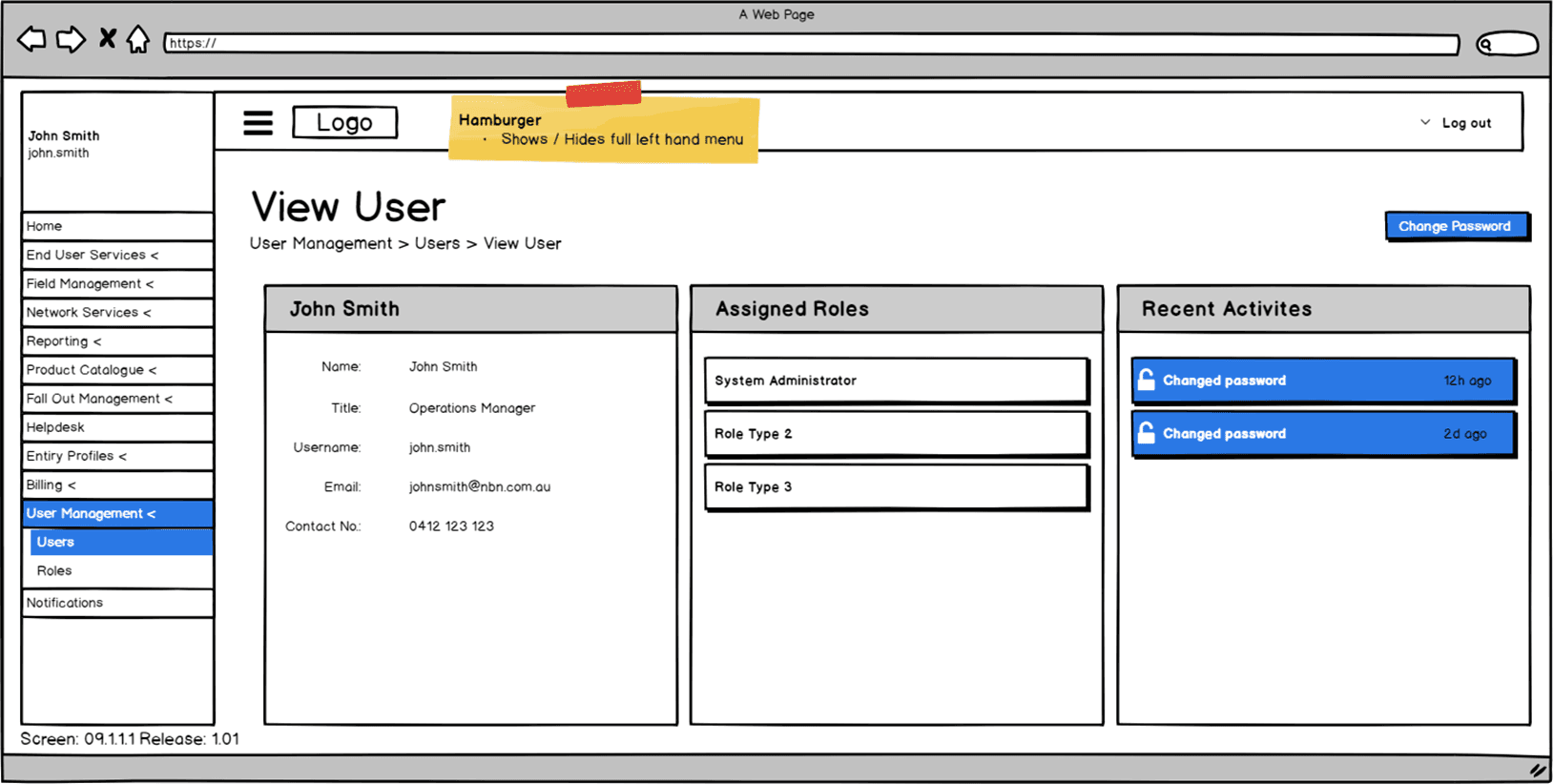
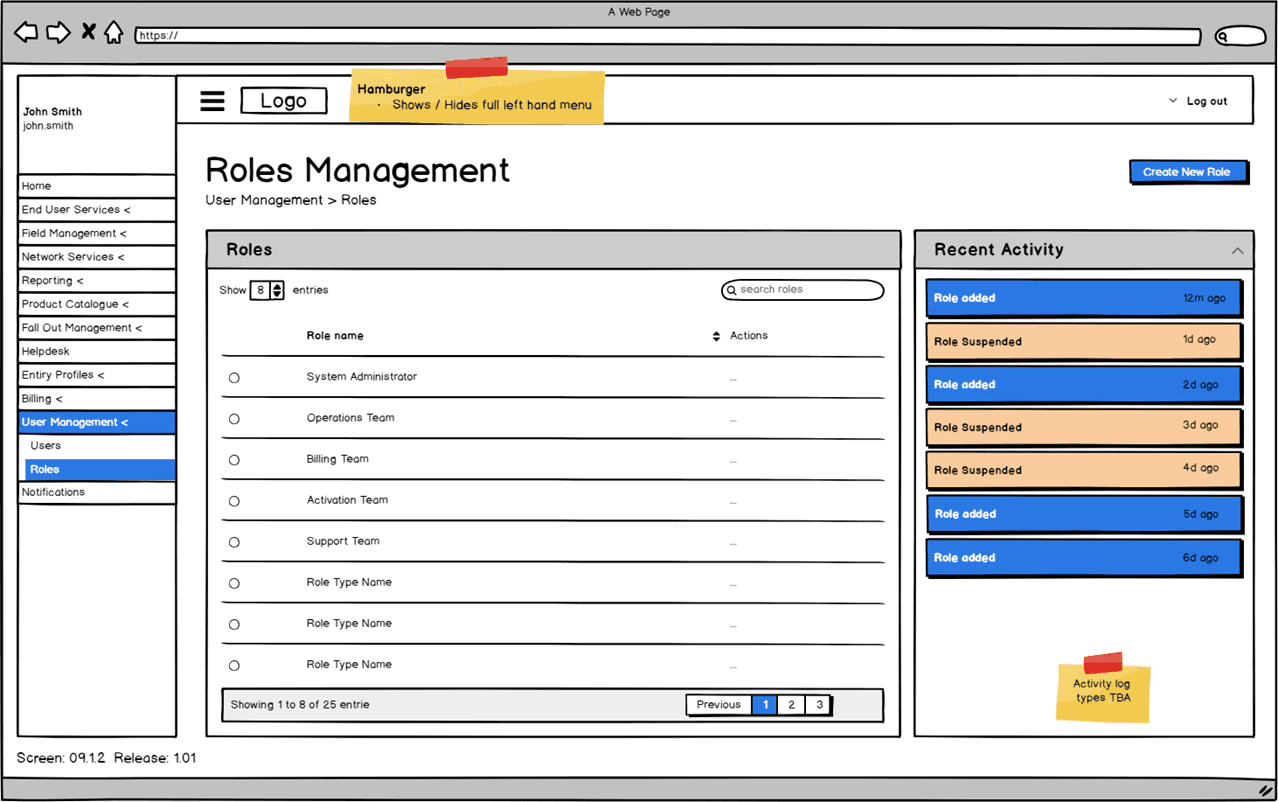
Roles Management
Product Template
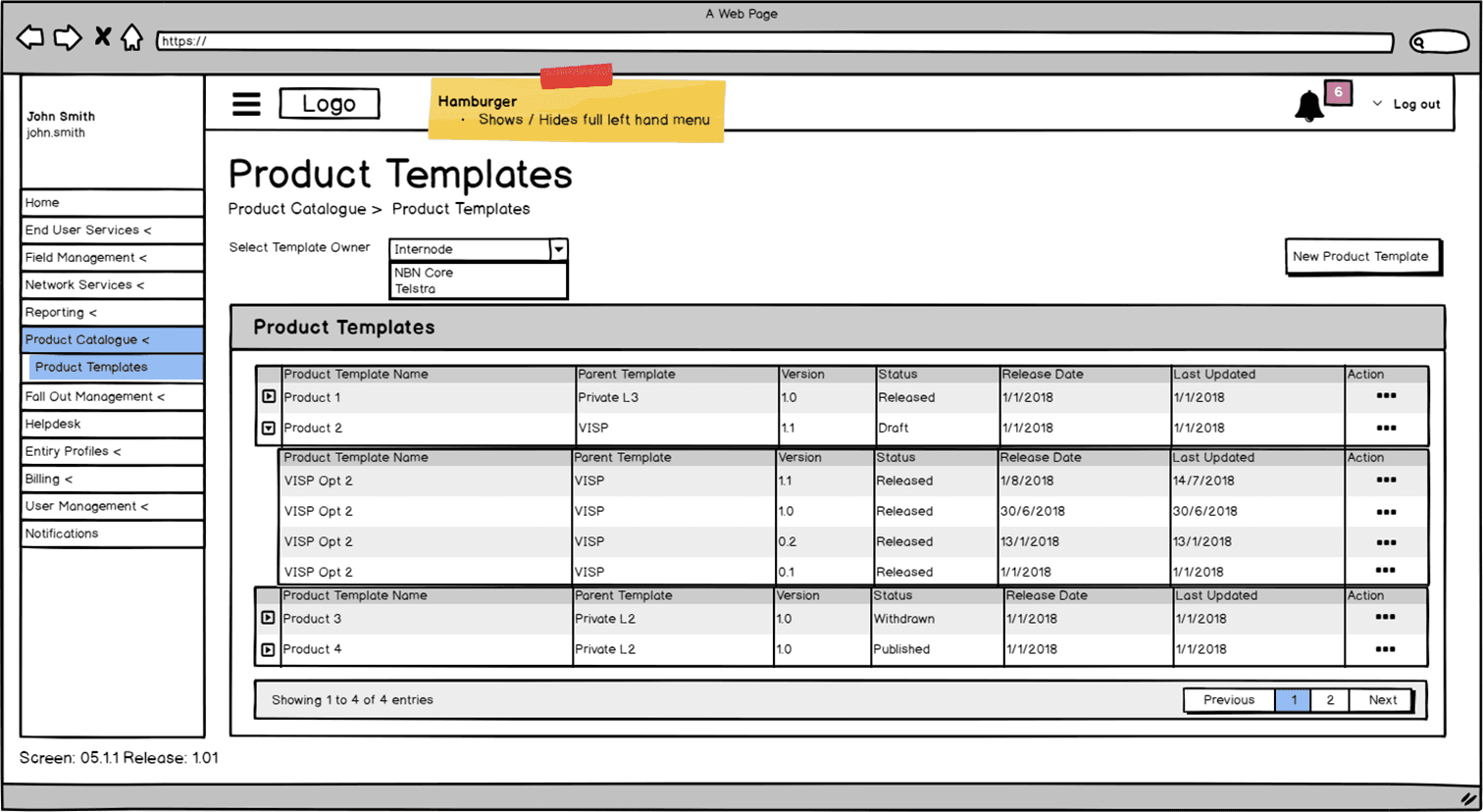
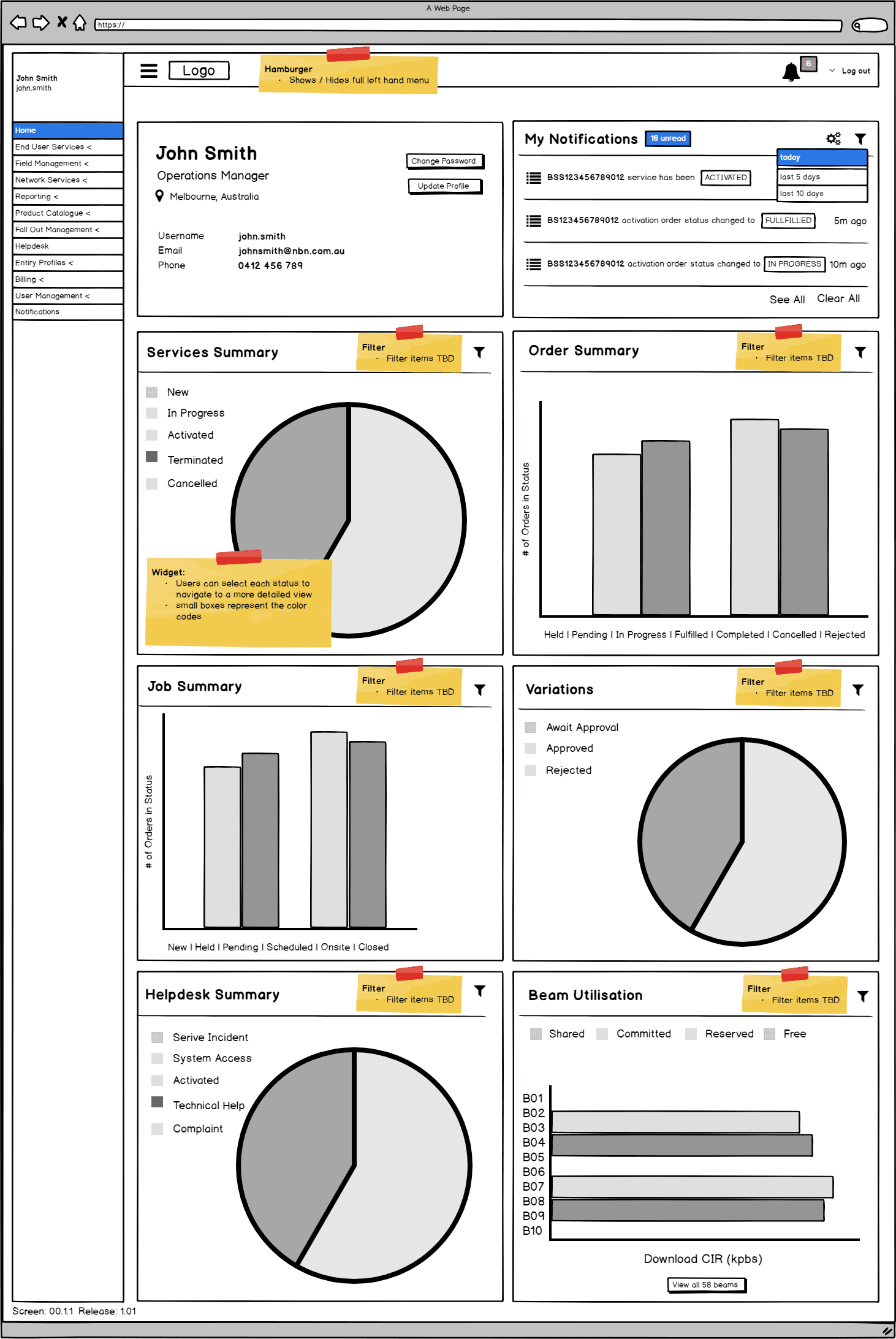
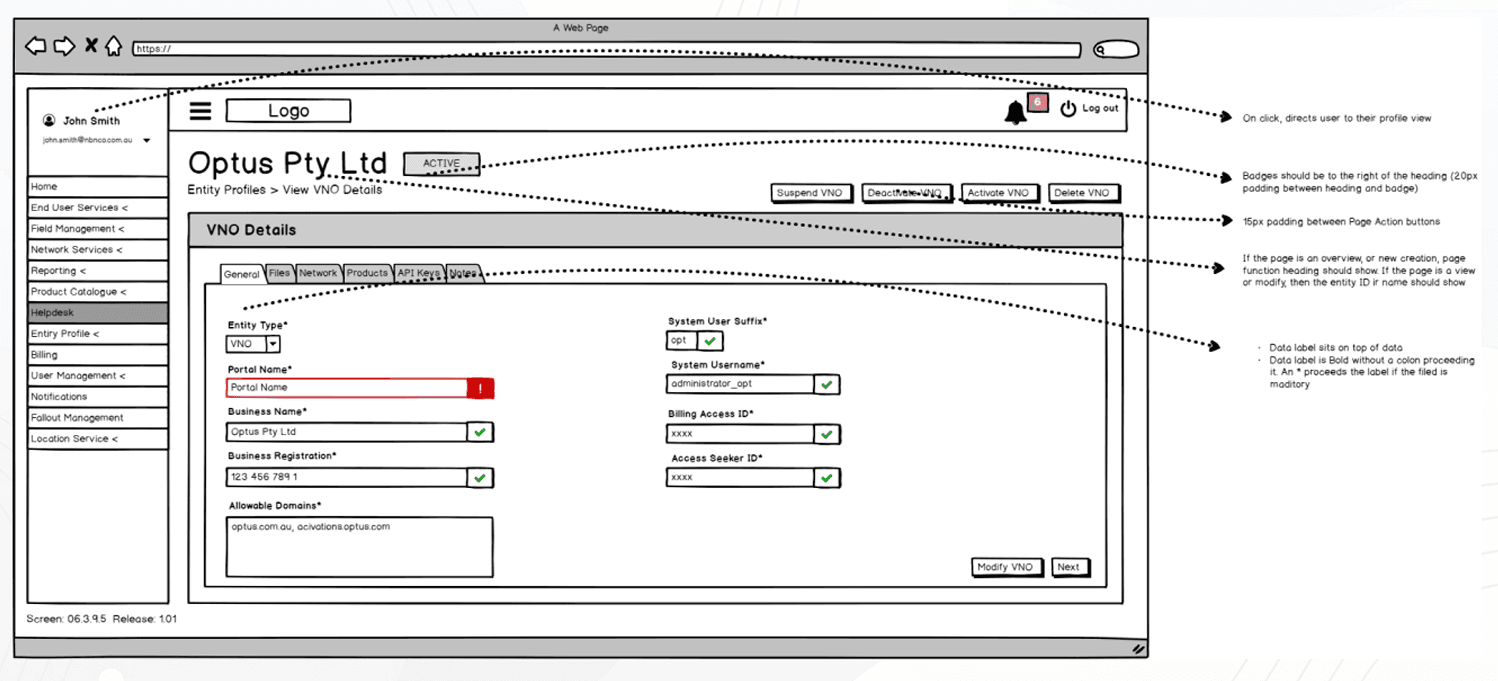
Services Overview
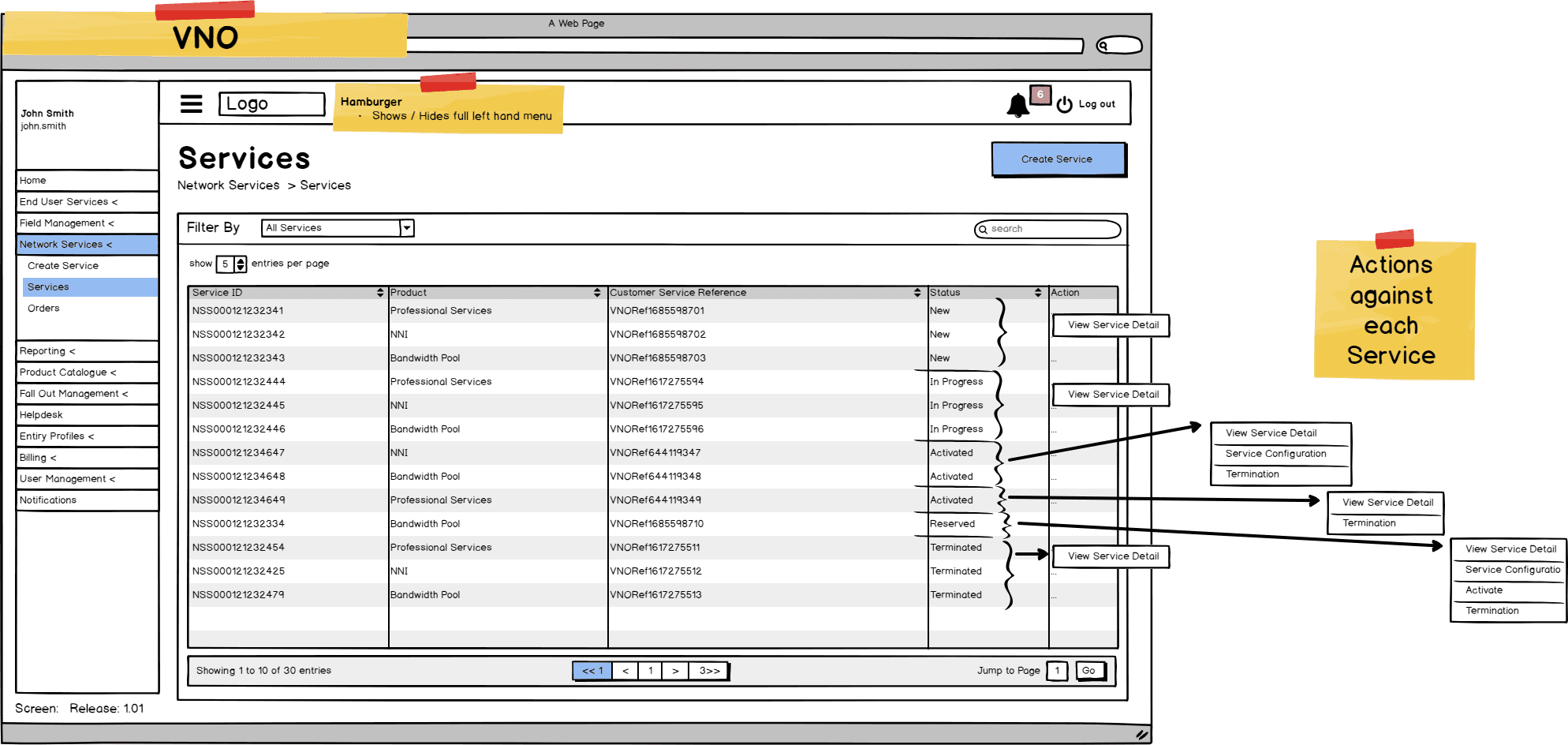
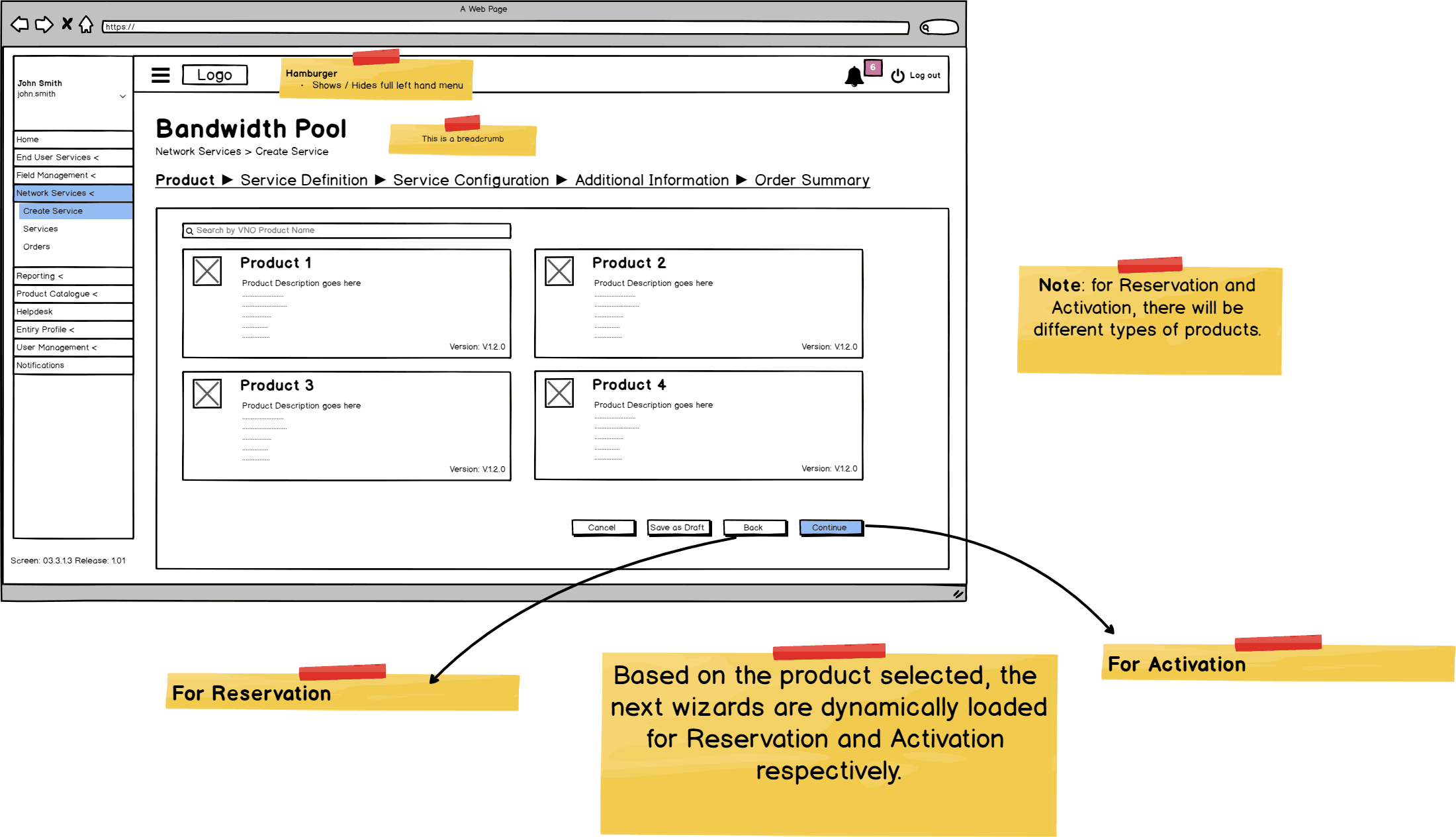
Bandwidth Pool - New Network Services
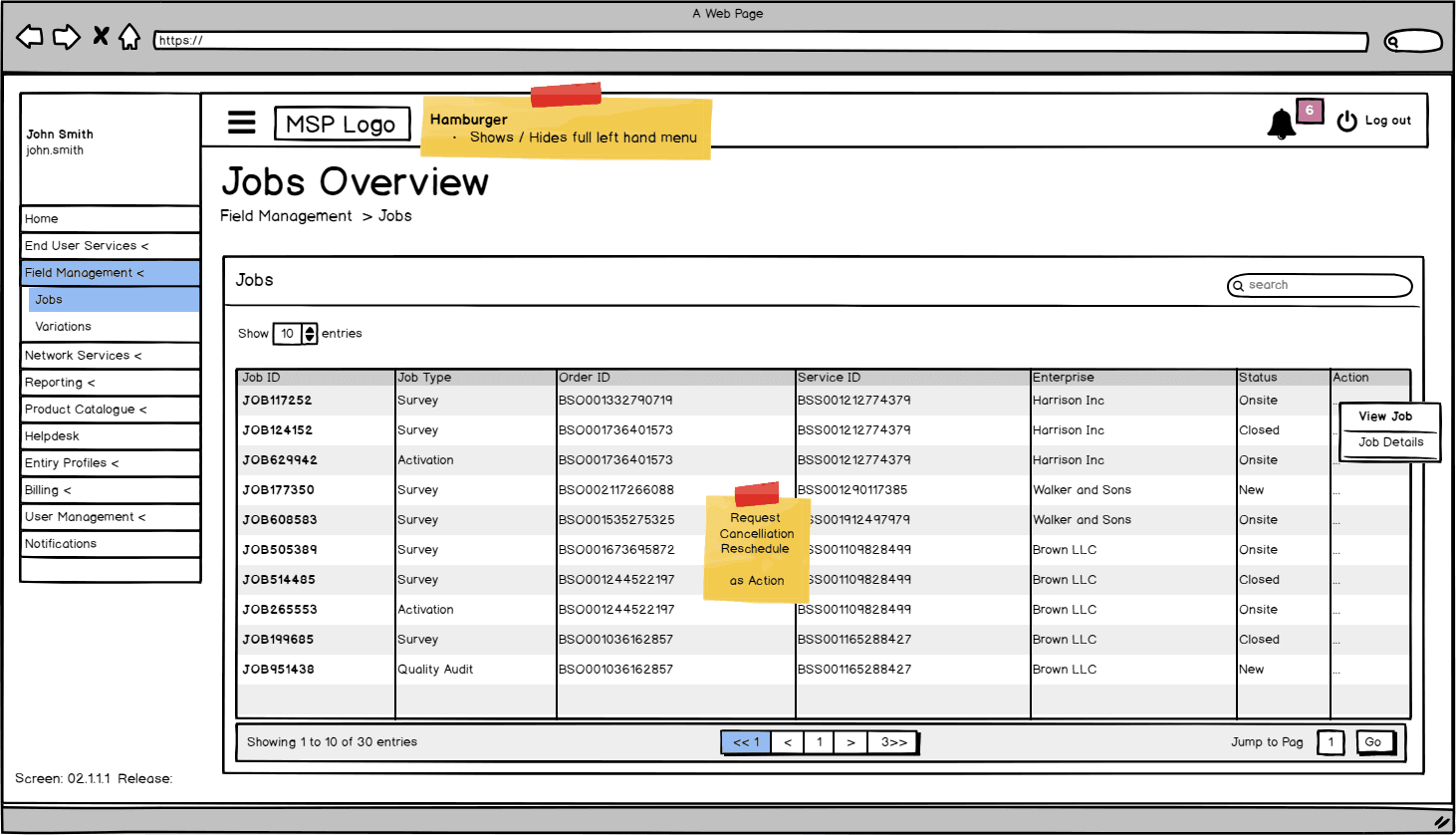
Field Management - Jobs - Overview
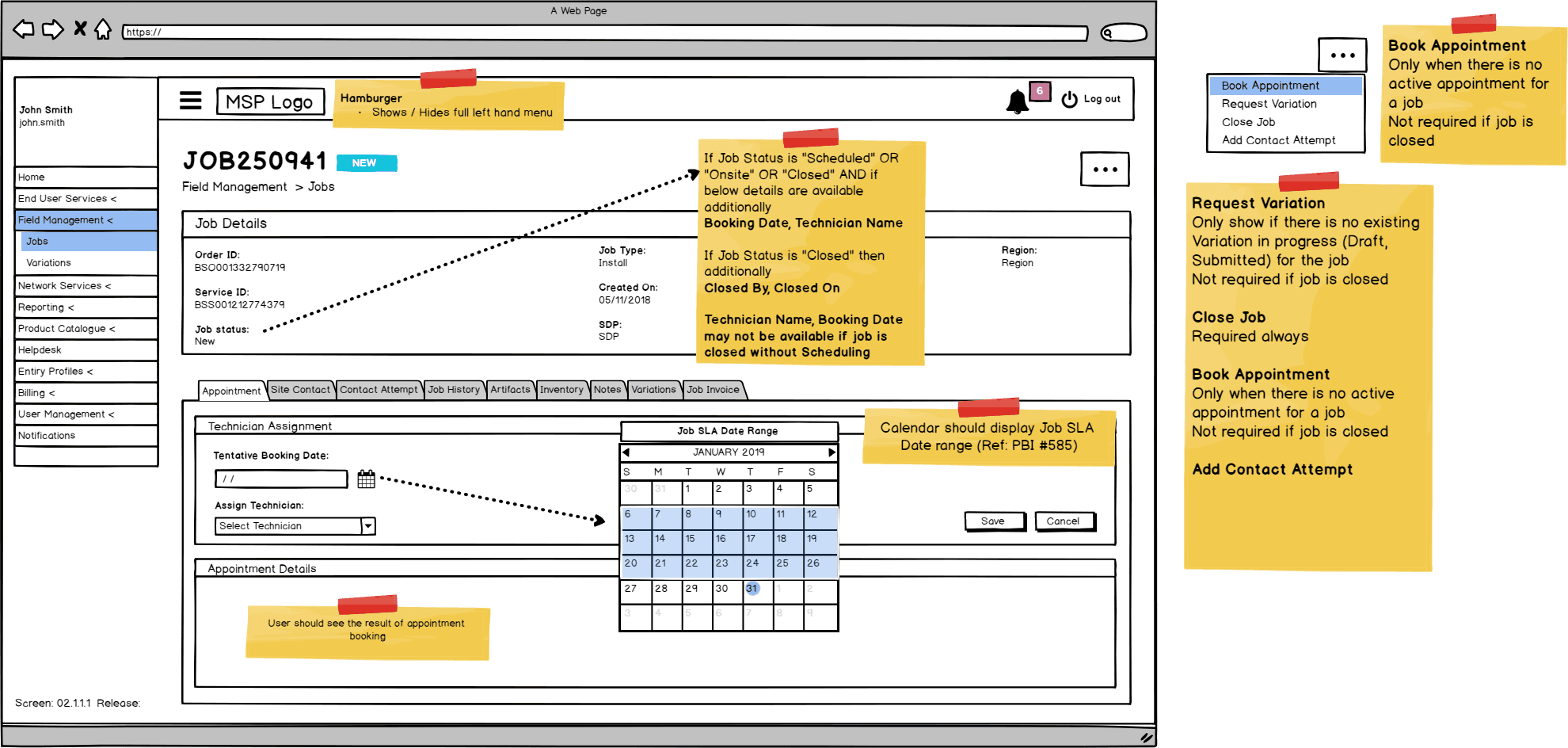
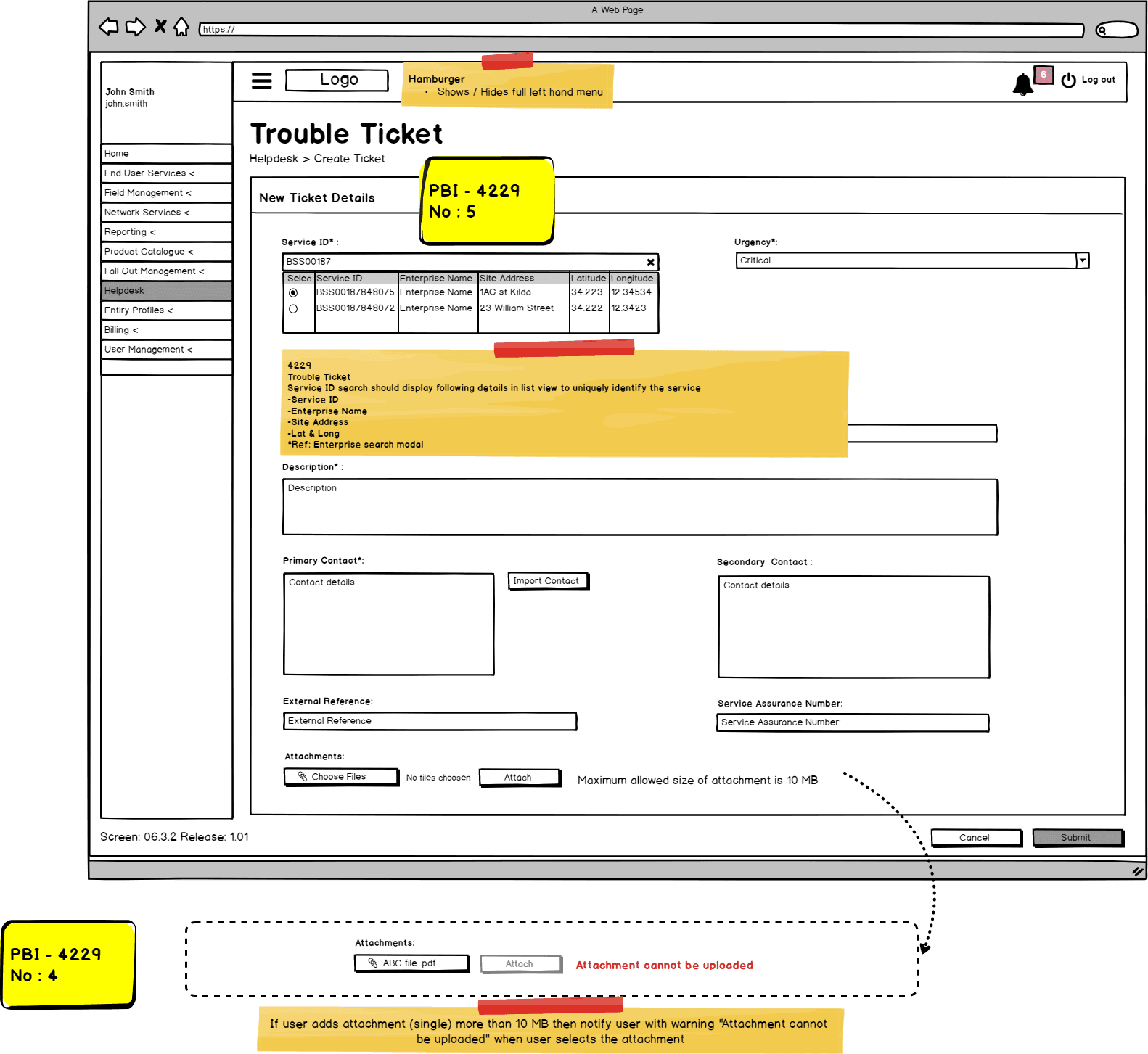
Help Desk
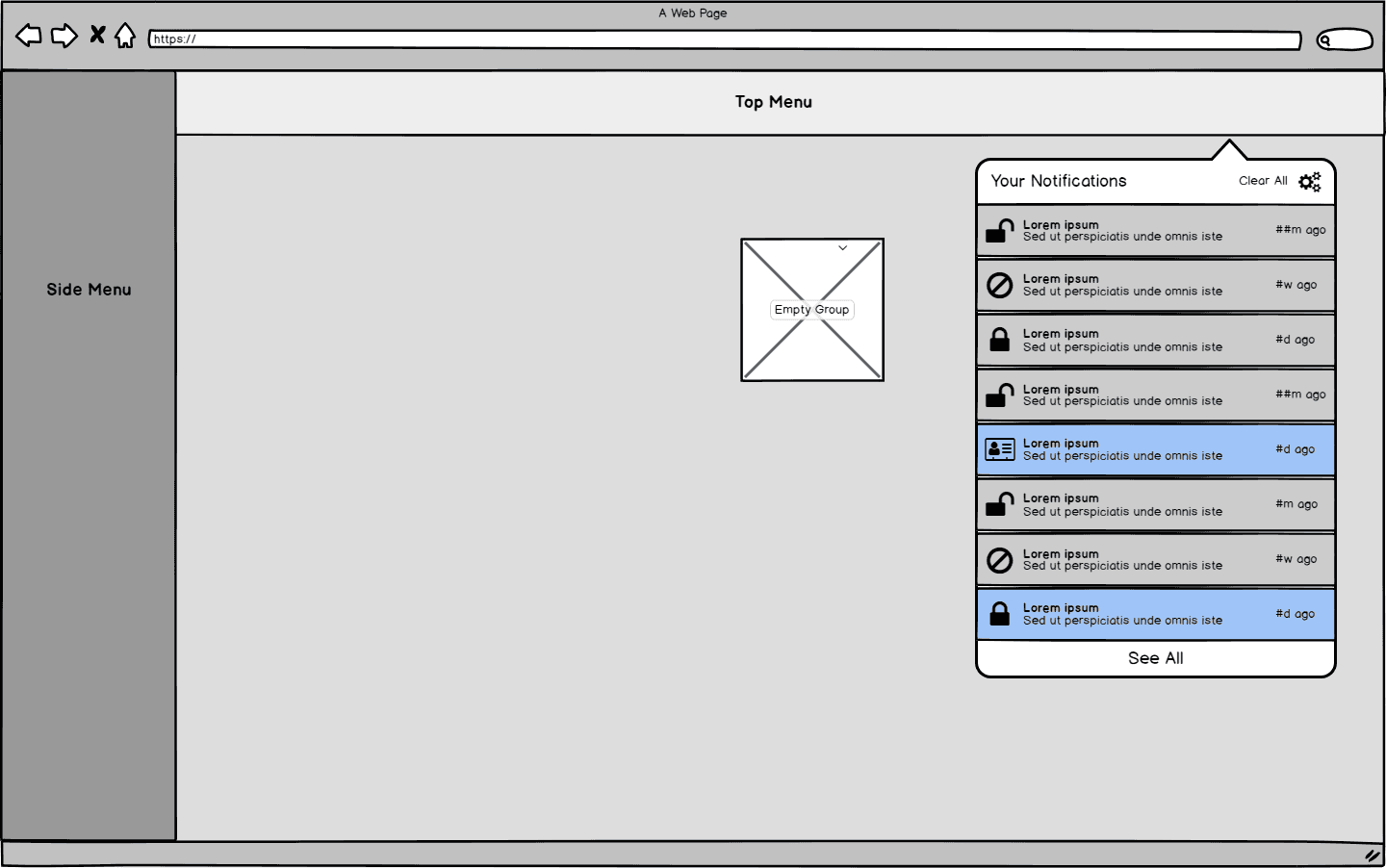
Notifications drop-down
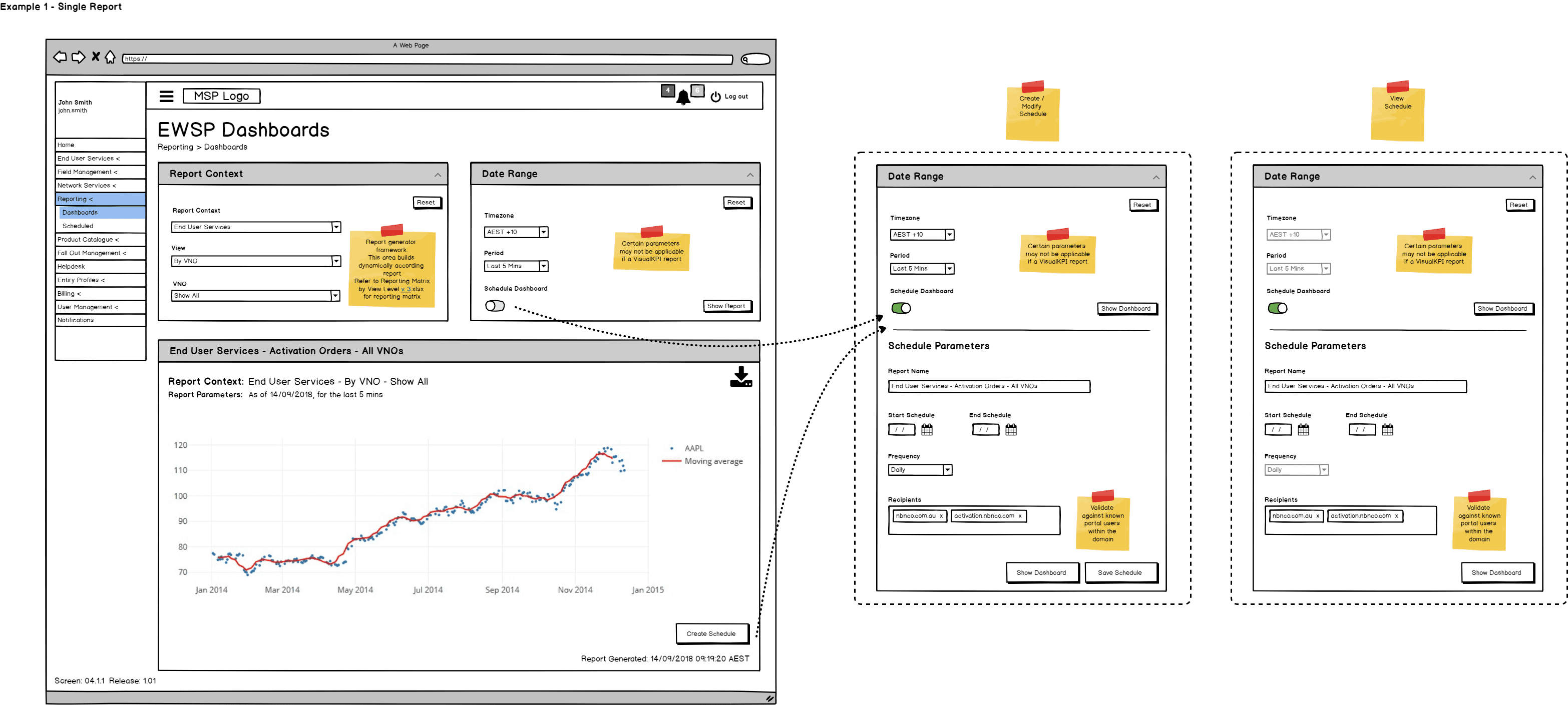
MSP Reporting Screens
SOLUTION
By organising the portal into clear domains, User Management, Onboarding, Product Catalogue, Order Management, Notifications, and Ticketing, the experience reduces handoff friction, improves findability, and strengthens end-to-end visibility from template setup through to order tracking and support.
Flows | User actions | Touchpoints | Opportunities |
|---|---|---|---|
Onboarding & access | Logs in, receives role-based access, understands available tasks | Login, onboarding, dashboard | Create a smooth onboarding experience with clear role-based guidance |
Template discovery | Explores and compares templates before starting a request | Template overview, template details | Improve comparison and understanding through clearer content and structure |
Order creation | Completes a new service order using selected template | Order form, validation, review screen | Simplify complex forms with guided steps and inline support |
Order tracking | Monitors order progress and identifies next steps | Orders overview, notifications | Improve visibility into status, ownership, and progress |
Service management | Views live services and confirms order outcomes | Services overview | Separate active services clearly from in-progress orders |
Notifications & updates | Responds to important alerts and workflow changes | Notifications, dashboard | Prioritise actionable updates and reduce missed follow-ups |
Support & issue resolution | Raises tickets and seeks help in context | Helpdesk, support form | Embed support into the workflow for faster resolution |
Admin & governance | Manages users, permissions, and template reviews | User management, Owner dashboard | Support governance with auditability and clear control points |
Portal Design Guidelines
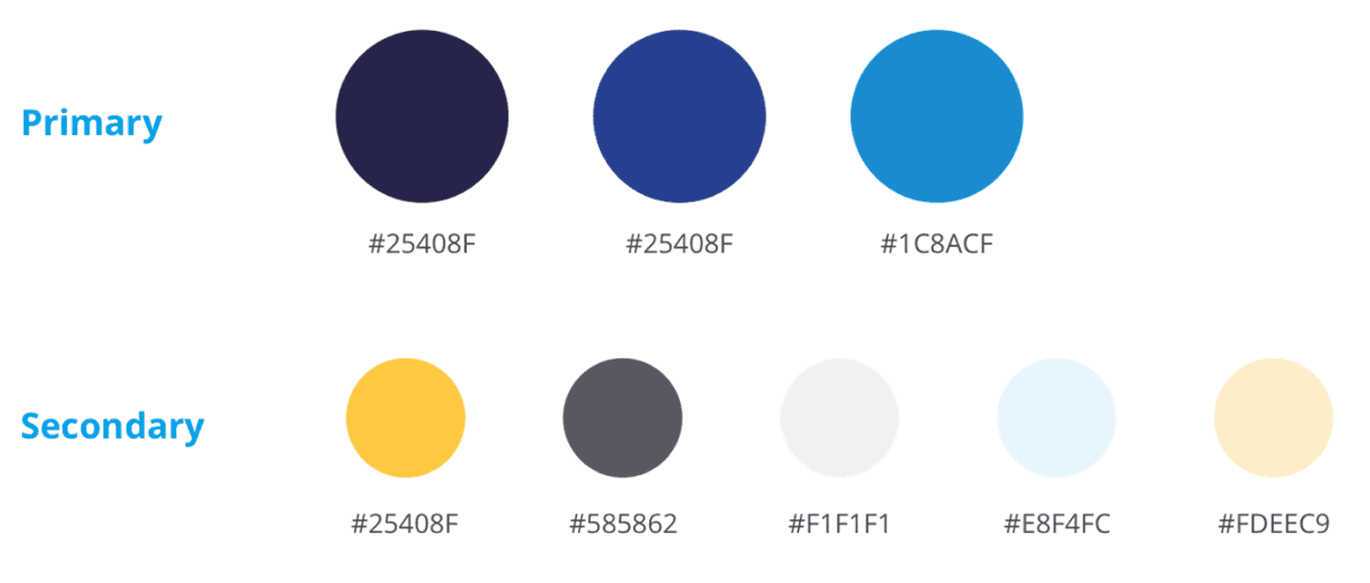
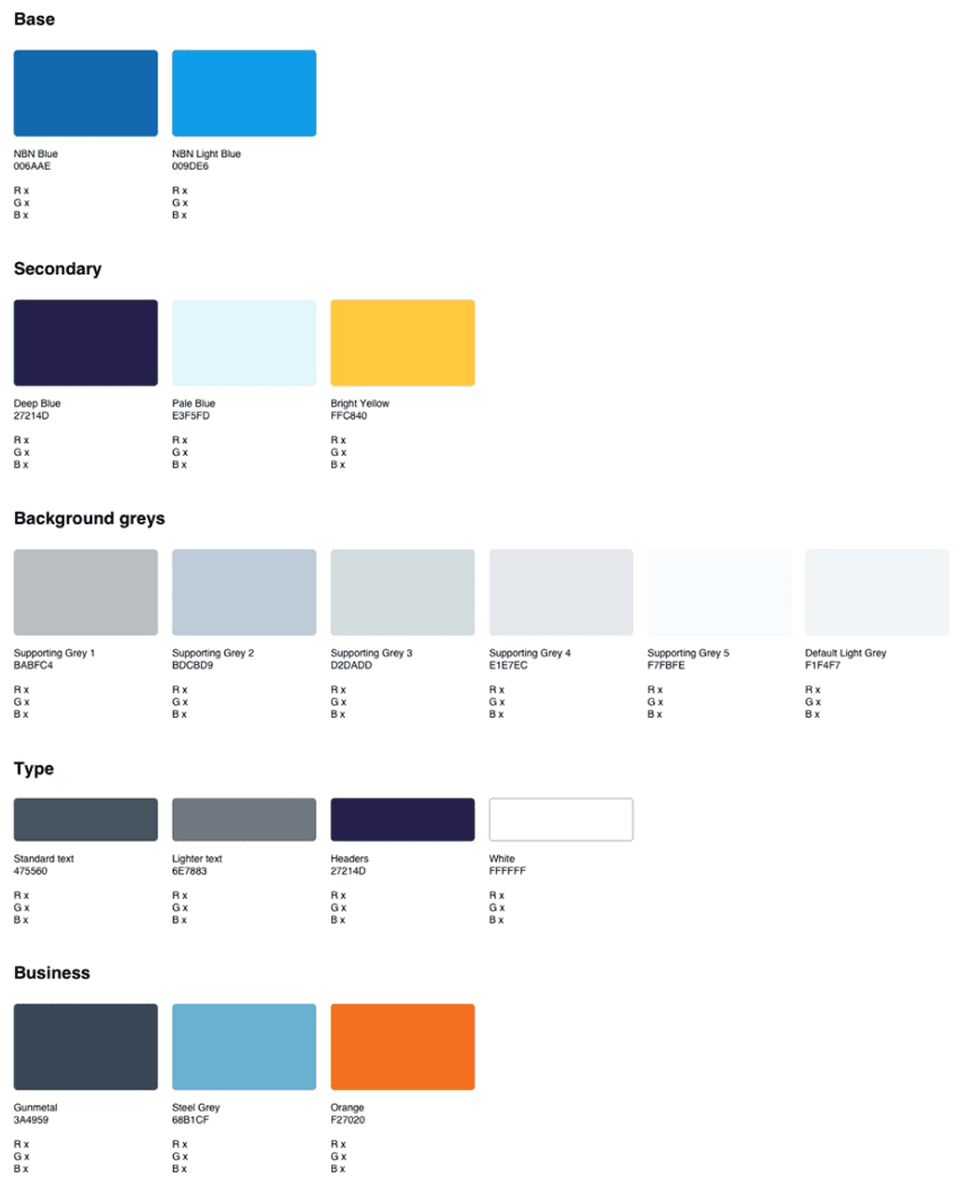
Color Pallet
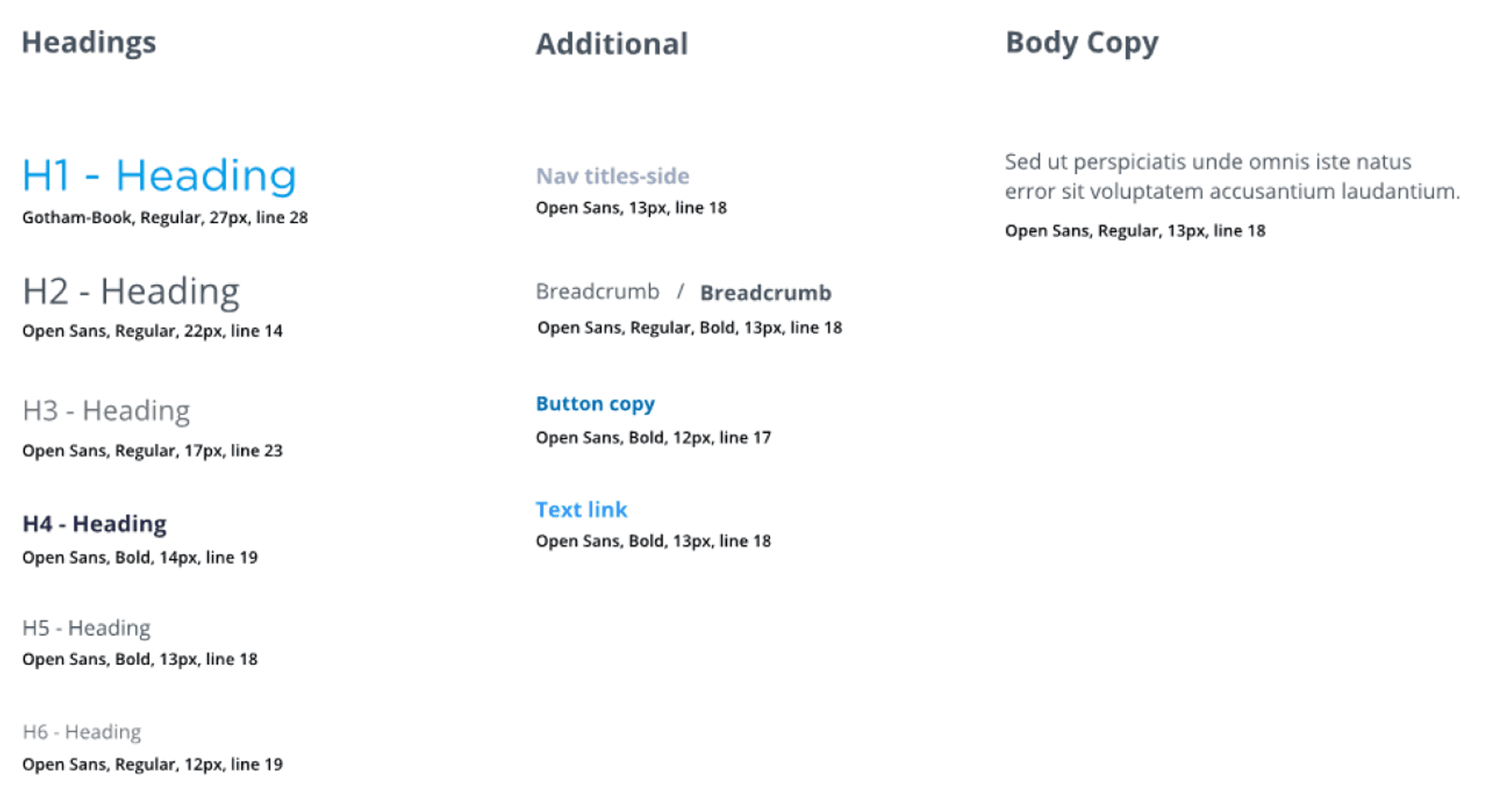
Typography
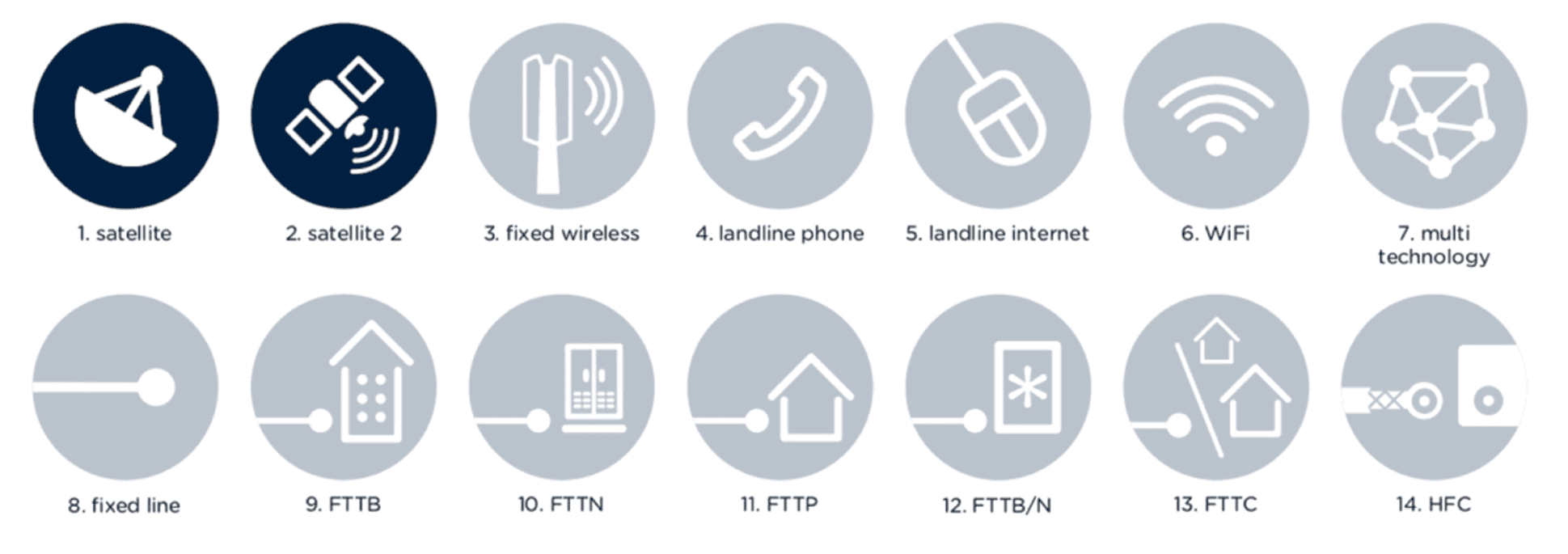
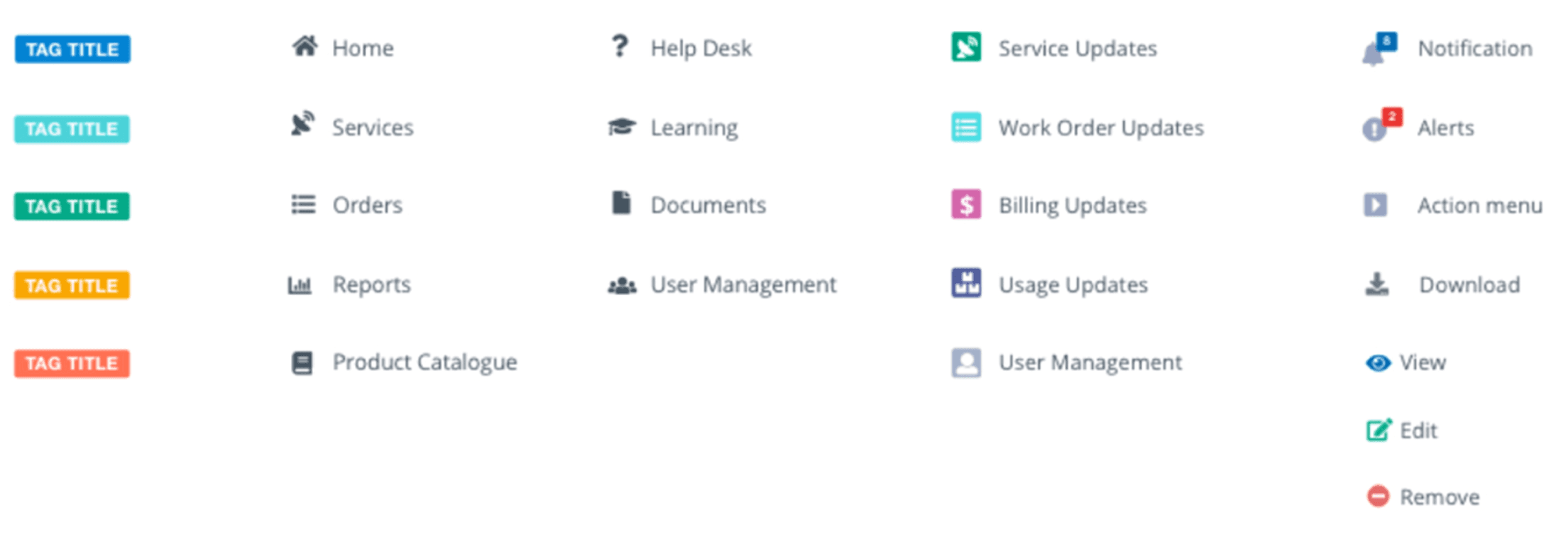
Iconography
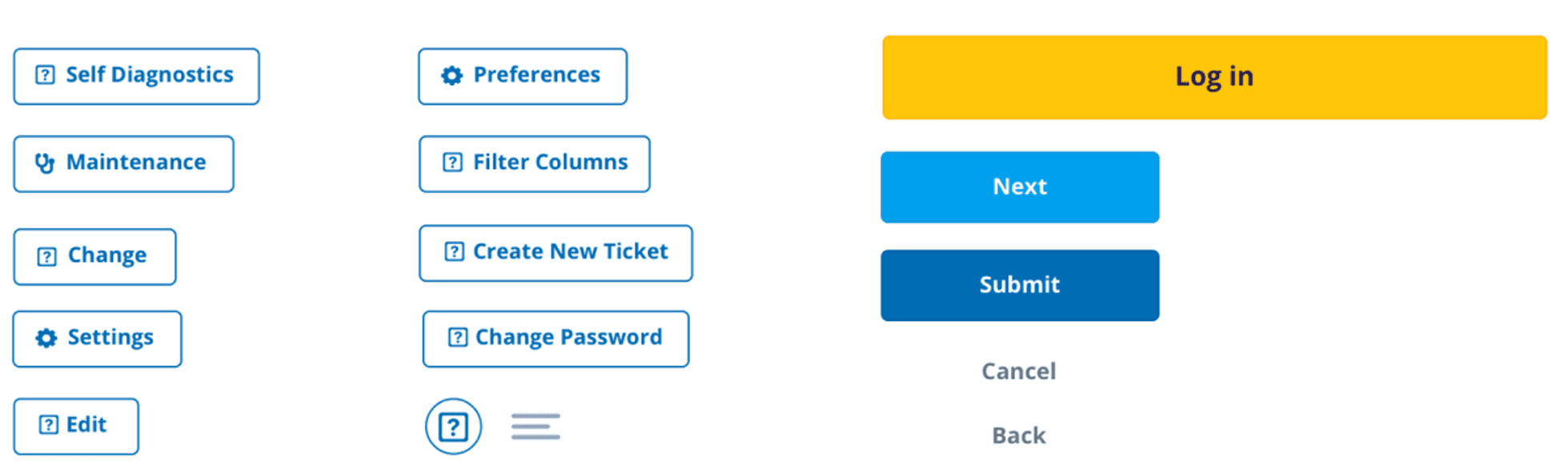
Buttons
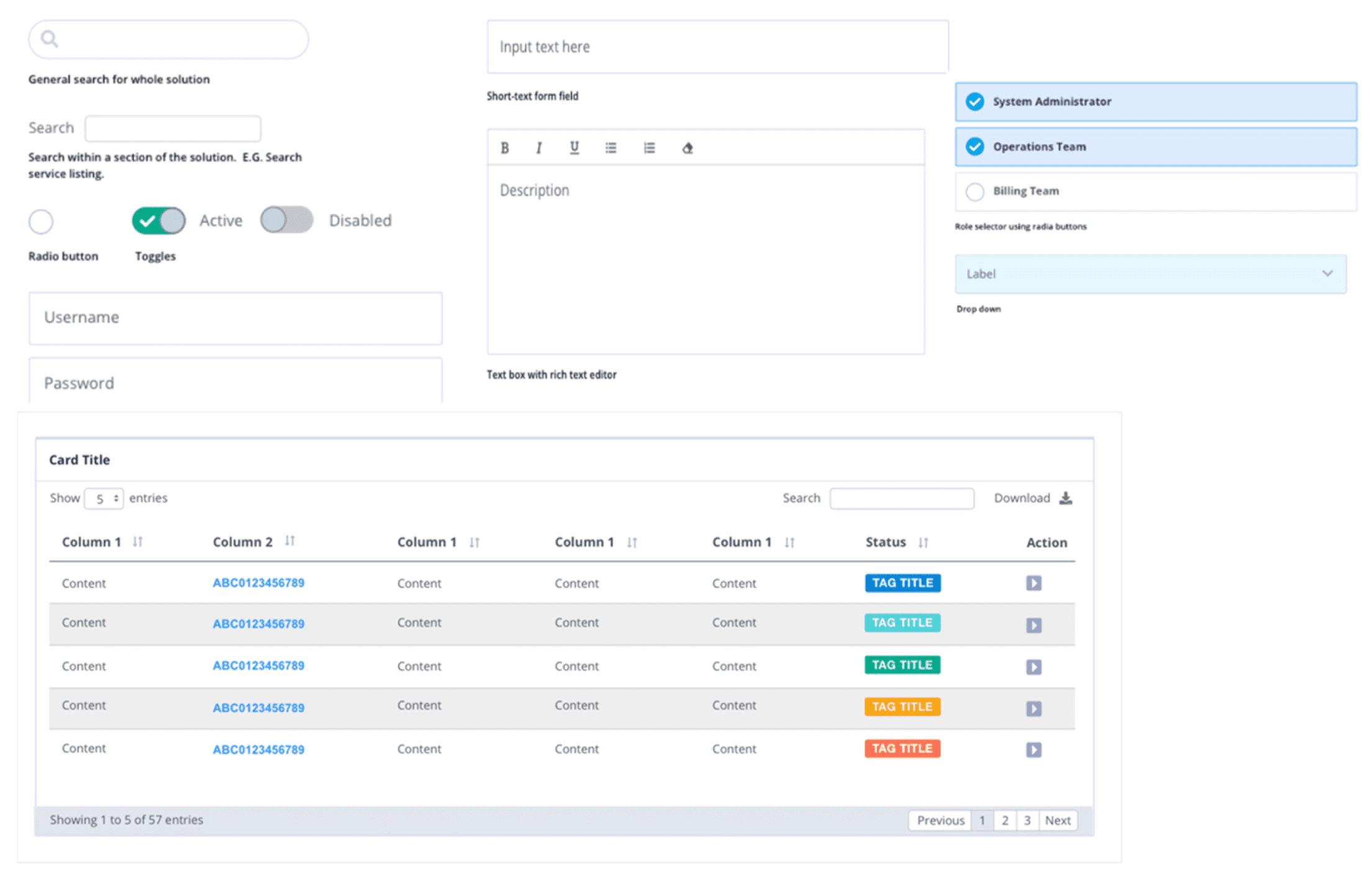
Input Elements
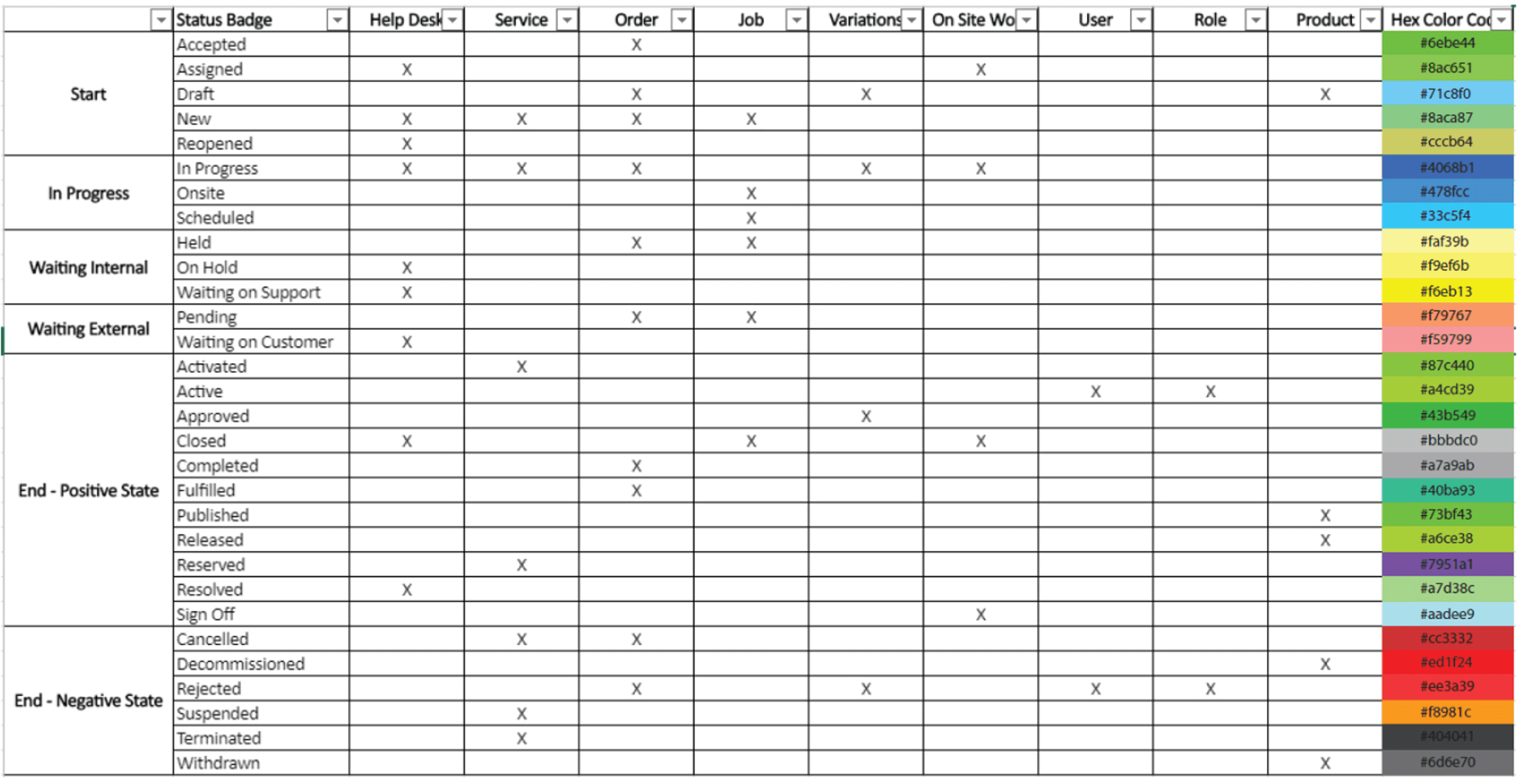
Status Badges Color Pallet
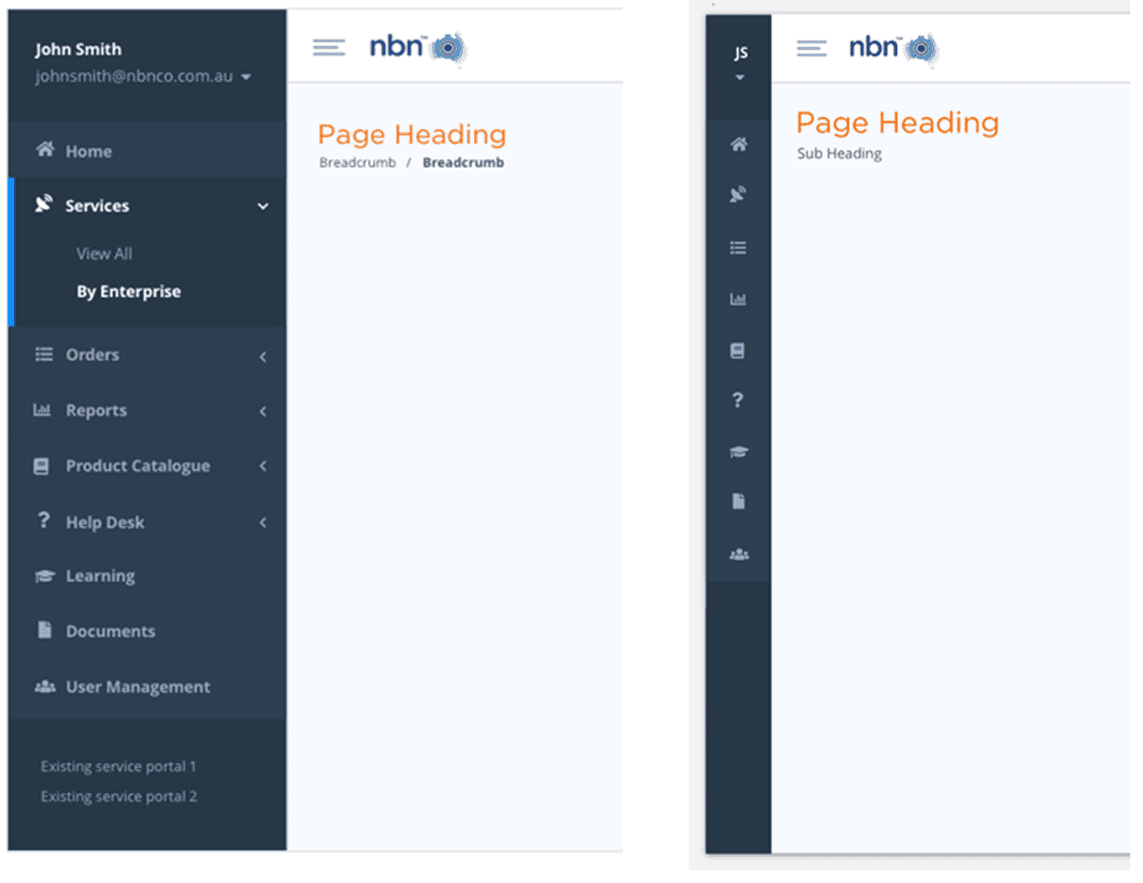
Navigation System
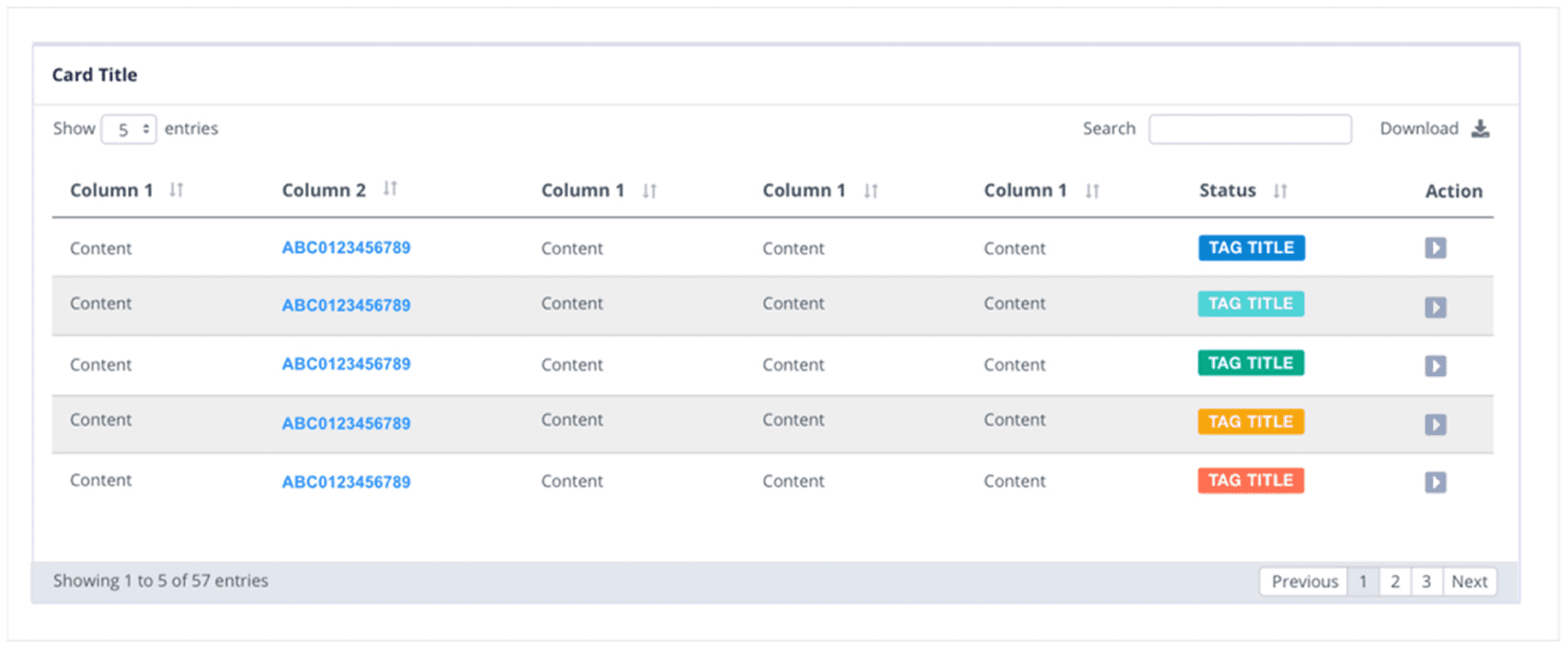
Dynamic Tables
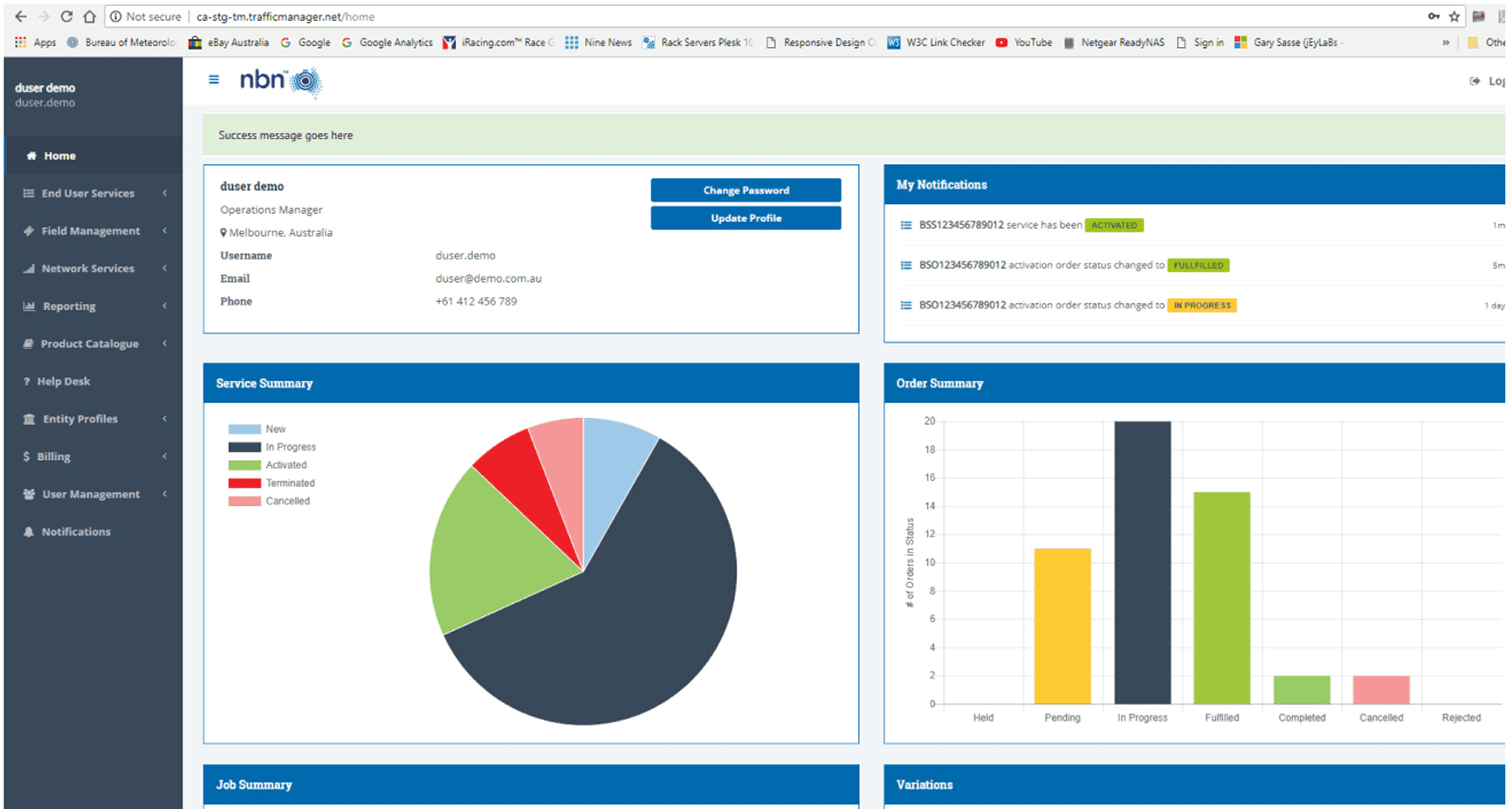
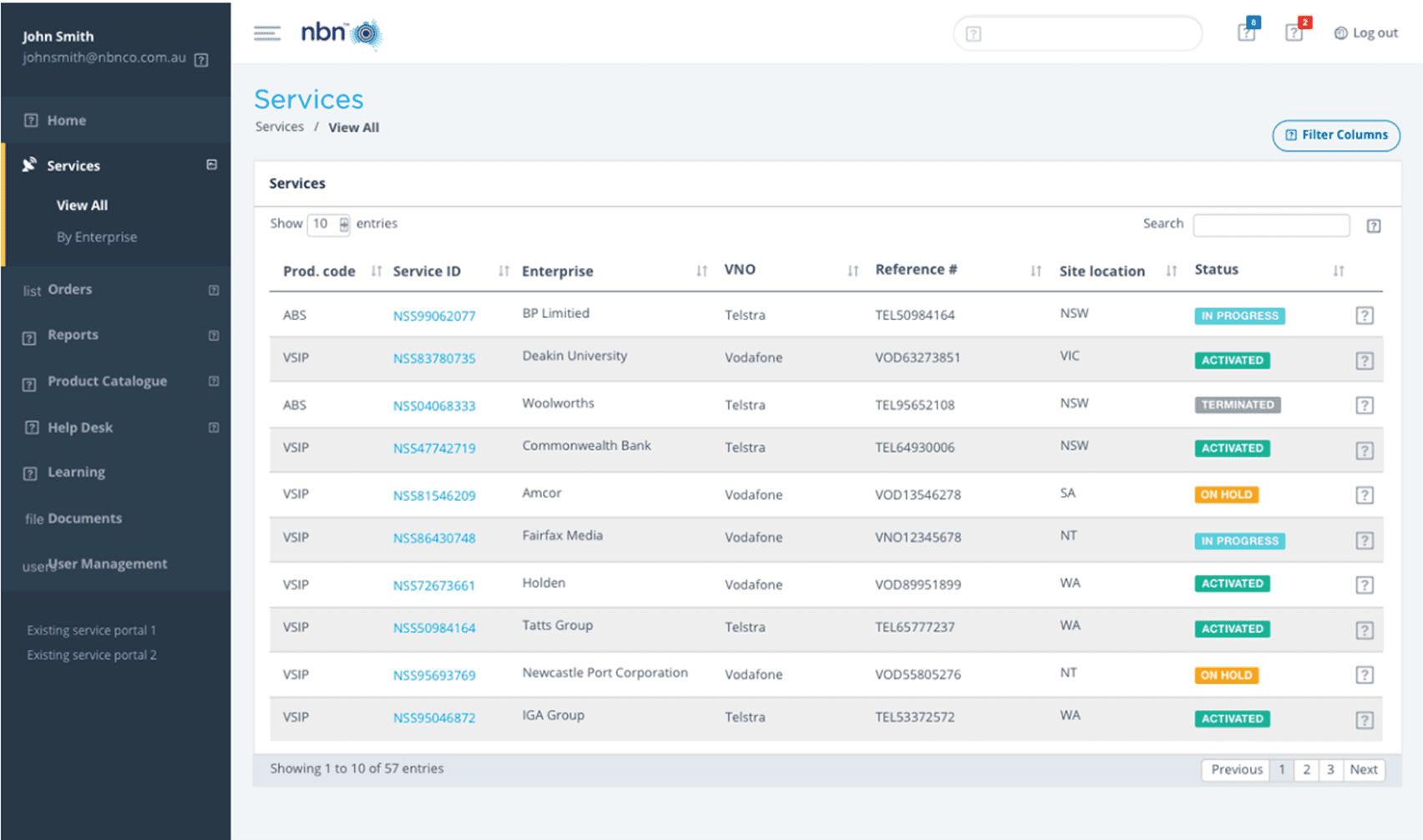
Design decisions
Decision | Reason | UX law/principle |
|---|---|---|
Structured by core tasks (Templates, Orders, Services, Notifications, Support, Admin) | Helps users go directly to what they need without guessing | Hick’s Law; Jakob’s Law; Recognition rather than recall |
Role-based experiences with a consistent foundation | Reduces learning effort while keeping each role focused on relevant actions | Jakob’s Law; Nielsen: Consistency & standards |
Templates-first approach | Standardises inputs and improves first-pass accuracy | Error prevention (Nielsen); Recognition rather than recall |
Guided “Raise Order” step flow | Breaks complex work into manageable steps and reduces overwhelm | Miller’s Law; Progressive disclosure; Nielsen: Visibility of status |
Clear separation of Orders vs Services | Matches user mental models: “in progress” vs “active outcome” | Match to real world (Nielsen); Recognition rather than recall |
Actionable, prioritised notifications | Ensures users notice what needs action and respond faster | Hick’s Law; Nielsen: Visibility of system status |
Consistent UI patterns (tables, filters, chips, layouts) | Improves speed through familiarity and reduces mistakes | Jakob’s Law; Nielsen: Consistency & standards |
IMPACT/RESULTS
The portal improved outcomes for both users and the business by making complex wholesale requests easier to complete, track, and manage.
MSP users benefited from faster onboarding and clearer access control, reducing repetitive admin effort.
VNO users could raise service orders more quickly with fewer errors, and track progress without constant follow-ups.
NBN users gained stronger oversight through consistent visibility of services and orders, supporting more confident decisions and governance.
For the business, this reduced rework and support tickets, improved throughput and reliability of service requests, increased transparency and accountability across stakeholders, and strengthened compliance through clearer role-based control and traceability.
|
|
| ||||||
|
|
|



RESEARCH
Before design, I completed a research phase to understand user roles, handoffs, and what could cause delays or errors.
I chose stakeholder interviews to confirm responsibilities, constraints, and success criteria, and I used task analysis and journey mapping to break down the key end-to-end workflows and highlight likely friction points.
These methods helped me make confident design decisions from the start, since the system was built from scratch.
Method | Purpose | Impact supported |
|---|---|---|
Stakeholder interviews (MSP/VNO/Owner) | Align priorities, governance, handoffs | Reduced rework; clearer ownership |
Task analysis (key flows) | Identify friction + redundancy | ↓ time-to-order; ↑ accuracy |
Journey mapping (role-based) | Visualise cross-role dependencies | Fewer escalations; better transparency |
Information architecture review | Improve findability + mental model fit | ↓ misnavigation; ↓ cognitive load |
Usability testing (prototype) | Validate clarity and flow | ↑ completion; ↑ ease-of-use |
Support ticket review | Identify recurring pain points | ↓ ticket volume |
Analytics instrumentation plan | Prove impact post-launch | ROI + continuous improvement |
INSIGHTS
Research showed that users mainly struggled with unclear ownership and limited end-to-end visibility, which led to repeated follow-ups and low confidence.
It also highlighted that consistent templates, guided steps, and simple, actionable status updates were key to reducing errors and speeding up completion.
Insight | What it suggests for design |
|---|---|
Users want to know what to do first, without guessing | Clear landing actions and guided entry points |
Users feel better when they can see where they are and steps left | Step-by-step flow with progress indicator |
Users get frustrated when next owner is unclear | Show owner and next action on every status view |
Users prefer consistent templates and examples | Standardised templates with short descriptions/examples |
Users trust the system more with clear status updates | Visible status, timestamps, and “what happens next” guidance |
Users check updates repeatedly when notifications are unclear | Actionable, prioritised notifications linked to the right item |
Users want errors explained in plain language | Field-level validation with clear fix instructions |
Users want to find items fast with search and filters | Strong search, filters, sorting, and saved views |
DESIGN PROCESS
I followed a research-led, iterative design process to deliver the new Enterprise Wholesale Service Portal across MSP, VNO, and Owner roles.
I first defined a role-based information architecture, structuring the portal around key domains, templates, orders, services, notifications, and support, while standardising navigation to improve findability and governance.
I then mapped the highest-frequency task flows, to reduce handoff friction, prevent errors, and clarify ownership.
template selection
raising orders
tracking status
creating tickets
Finally, I produced wireframes and interactive prototypes to test terminology, form behaviour, validation, and status visibility, and I iterated the experience based on evaluation findings to strengthen speed, clarity, and consistency.
Design Process
Information architecture (Role-aware navigation)
MSP Site Map
VNO Site Map
NBN Site Map
User Personas
MSP
VNO
NBN
How I used personas to guide design decisions
User personas helped me design with real user needs in mind rather than assumptions. And Personas directly shaped the portal’s structure and interaction patterns.
For structured users, I prioritised predictable navigation, clear written guidance, and save-and-resume flows. For speed-driven users, I designed step-based workflows with strong search, filters, and actionable notifications.
For standards-focused decision makers, I embedded traceability through consistent UI patterns, clear ownership, and readable activity history, ensuring the system felt efficient, reliable, and trustworthy for every role.
EWSP Demonstration Journey
Portal Navigation
MSP
VNO
NBN
Key screens
Templates
Raise Order
Orders Overview
Services Overview
Notifications
Tickets
Owner Dashboard
Portal Wireframes
Create a User
Roles Management
Product Template
Services Overview
Bandwidth Pool - New Network Services
Field Management - Jobs - Overview
Help Desk
Notifications drop-down
MSP Reporting Screens
SOLUTION
By organising the portal into clear domains, User Management, Onboarding, Product Catalogue, Order Management, Notifications, and Ticketing, the experience reduces handoff friction, improves findability, and strengthens end-to-end visibility from template setup through to order tracking and support.
Flows | User actions | Touchpoints | Opportunities |
|---|---|---|---|
Onboarding & access | Logs in, receives role-based access, understands available tasks | Login, onboarding, dashboard | Create a smooth onboarding experience with clear role-based guidance |
Template discovery | Explores and compares templates before starting a request | Template overview, template details | Improve comparison and understanding through clearer content and structure |
Order creation | Completes a new service order using selected template | Order form, validation, review screen | Simplify complex forms with guided steps and inline support |
Order tracking | Monitors order progress and identifies next steps | Orders overview, notifications | Improve visibility into status, ownership, and progress |
Service management | Views live services and confirms order outcomes | Services overview | Separate active services clearly from in-progress orders |
Notifications & updates | Responds to important alerts and workflow changes | Notifications, dashboard | Prioritise actionable updates and reduce missed follow-ups |
Support & issue resolution | Raises tickets and seeks help in context | Helpdesk, support form | Embed support into the workflow for faster resolution |
Admin & governance | Manages users, permissions, and template reviews | User management, Owner dashboard | Support governance with auditability and clear control points |
Portal Design Guidelines
Color Pallet
Typography
Iconography
Buttons
Input Elements
Status Badges Color Pallet
Navigation System
Dynamic Tables
Design decisions
Decision | Reason | UX law/principle |
|---|---|---|
Structured by core tasks (Templates, Orders, Services, Notifications, Support, Admin) | Helps users go directly to what they need without guessing | Hick’s Law; Jakob’s Law; Recognition rather than recall |
Role-based experiences with a consistent foundation | Reduces learning effort while keeping each role focused on relevant actions | Jakob’s Law; Nielsen: Consistency & standards |
Templates-first approach | Standardises inputs and improves first-pass accuracy | Error prevention (Nielsen); Recognition rather than recall |
Guided “Raise Order” step flow | Breaks complex work into manageable steps and reduces overwhelm | Miller’s Law; Progressive disclosure; Nielsen: Visibility of status |
Clear separation of Orders vs Services | Matches user mental models: “in progress” vs “active outcome” | Match to real world (Nielsen); Recognition rather than recall |
Actionable, prioritised notifications | Ensures users notice what needs action and respond faster | Hick’s Law; Nielsen: Visibility of system status |
Consistent UI patterns (tables, filters, chips, layouts) | Improves speed through familiarity and reduces mistakes | Jakob’s Law; Nielsen: Consistency & standards |
IMPACT/RESULTS
The portal improved outcomes for both users and the business by making complex wholesale requests easier to complete, track, and manage.
MSP users benefited from faster onboarding and clearer access control, reducing repetitive admin effort.
VNO users could raise service orders more quickly with fewer errors, and track progress without constant follow-ups.
NBN users gained stronger oversight through consistent visibility of services and orders, supporting more confident decisions and governance.
For the business, this reduced rework and support tickets, improved throughput and reliability of service requests, increased transparency and accountability across stakeholders, and strengthened compliance through clearer role-based control and traceability.
|
|
| ||||||
|
|
|
KEY TAKEAWAYS
I learned that a strong design process is what makes complex systems feel simple.
In this project, I relied on a clear, research-led approach, understanding user roles, mapping the end-to-end journeys, defining a role-based information architecture, and then validating the experience through wireframes, prototypes, and early evaluation.
Each step helped me reduce uncertainty and make decisions with more confidence, especially in areas like navigation, workflow clarity, and status visibility.
This experience gave me a repeatable process I can apply to future projects.
I now know how to structure multi-role platforms, prioritise high-frequency tasks, and design for both speed and governance without adding unnecessary complexity.
I also learned to treat feedback and mistakes as part of iteration, not as failures, so I can move forward with clearer design standards, stronger reasoning, and better outcomes in the next project.
INDUSTRY
Telecommunication
PLATFORM
Web application
Other projects
Other projects


Interested in connecting?
prasadigunathillake@gmail.com
Interested in connecting?
prasadigunathillake@gmail.com
Copyright 2026 by Prasadi Gunathillake
Copyright 2026 by Prasadi Gunathillake
Copyright 2026 by Prasadi Gunathillake